Remote Corporate Headshots — Consistent Team Portraits in Any City, No Studio
Roll out studio-consistent headshots across a distributed workforce without booking a studio or flying a photographer. One director, the same framing and lighting for every employee, files delivered to the cloud in real time.
Short answer
Remote corporate headshots are professional employee portraits captured by a live photographer who directs each person’s own phone from a browser — controlling framing, focus and exposure remotely. It’s the company-wide form of remote headshots: every employee gets the same crop, lighting and background guidance, and full-resolution files land in a shared cloud album as you shoot. No studio booking, no travel.
Key takeaways
- One consistent look — the same framing, lighting and background applied to every employee, in every city
- No studio, no travel budget — reach every office and remote worker without flying a photographer
- Employees just need a phone and a link — the director handles all the camera work
- Full-resolution files, RAW on Pro, delivered to a shared cloud album, ready for HR to review

How it works with CLOS
CLOS keeps the employee side simple for non-photographers while giving your photographer real studio control: create a room and invite the team, each person’s phone becomes the camera, then the director captures a matching set straight to the cloud.
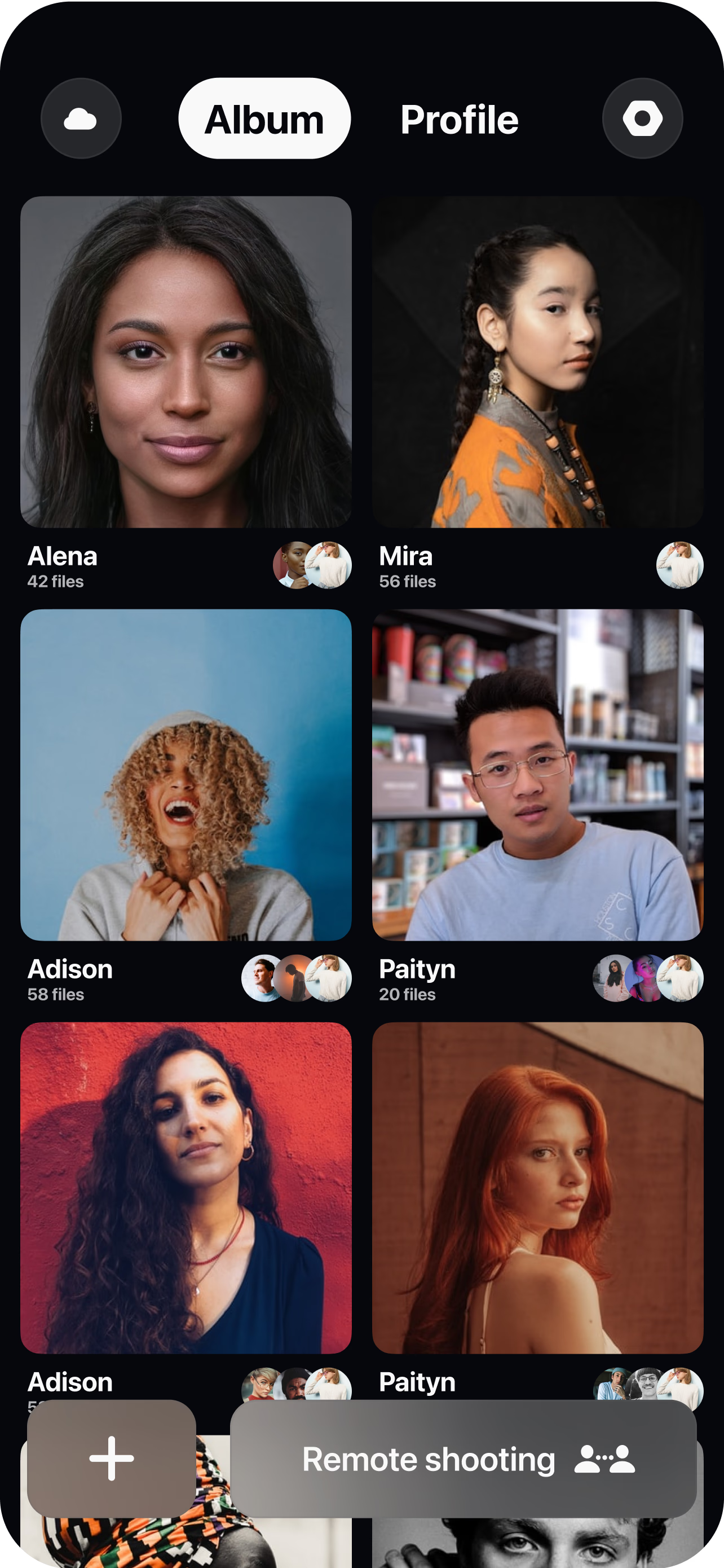
Create a room and invite the team
Set up a session and send each employee a single join link — no app to learn, no studio to book. People teams schedule employees in groups — by office, department or onboarding cohort — and send each group its own link.
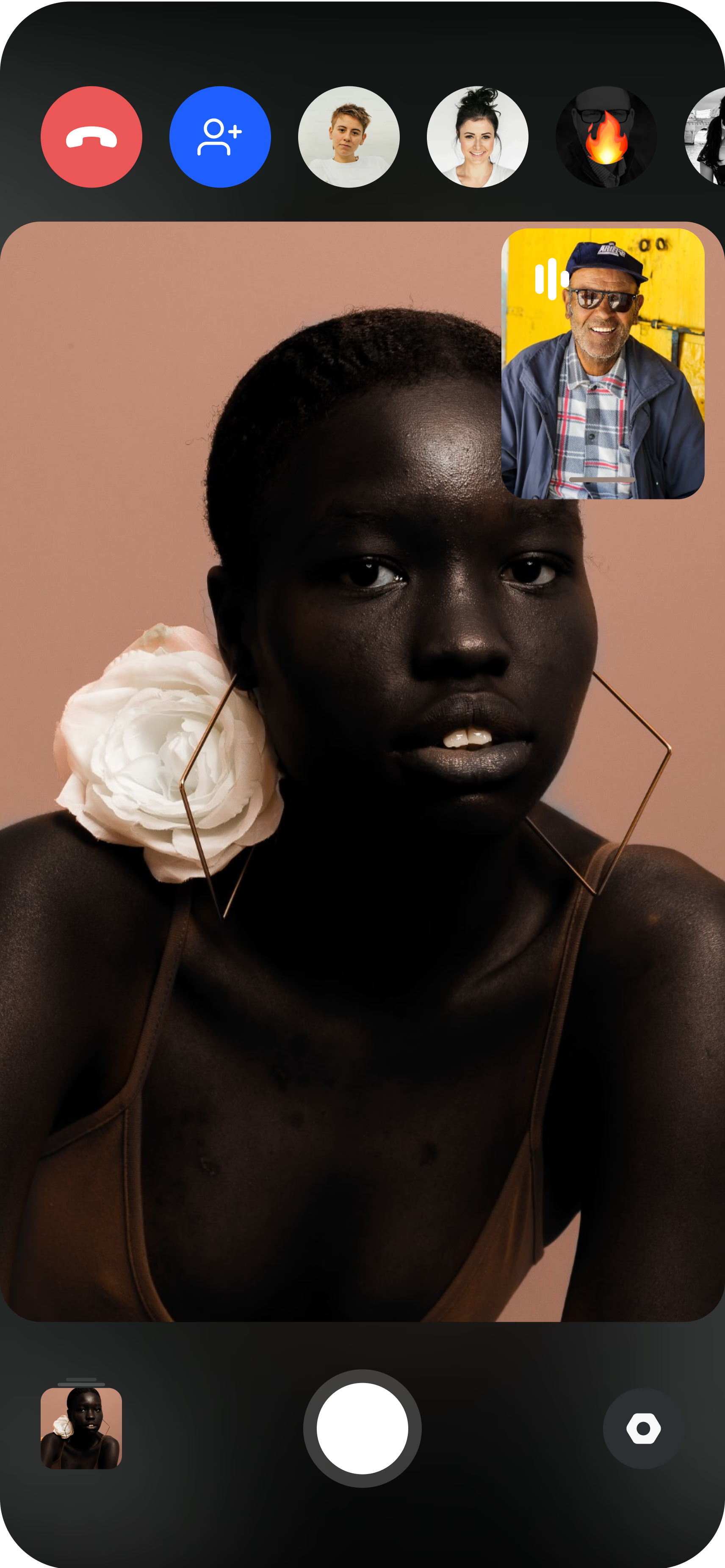
The employee joins from their phone
They open the link, prop the phone on a shelf or tripod, and the director sees the live feed instantly. A quick background and lighting check keeps every shot on-brand.
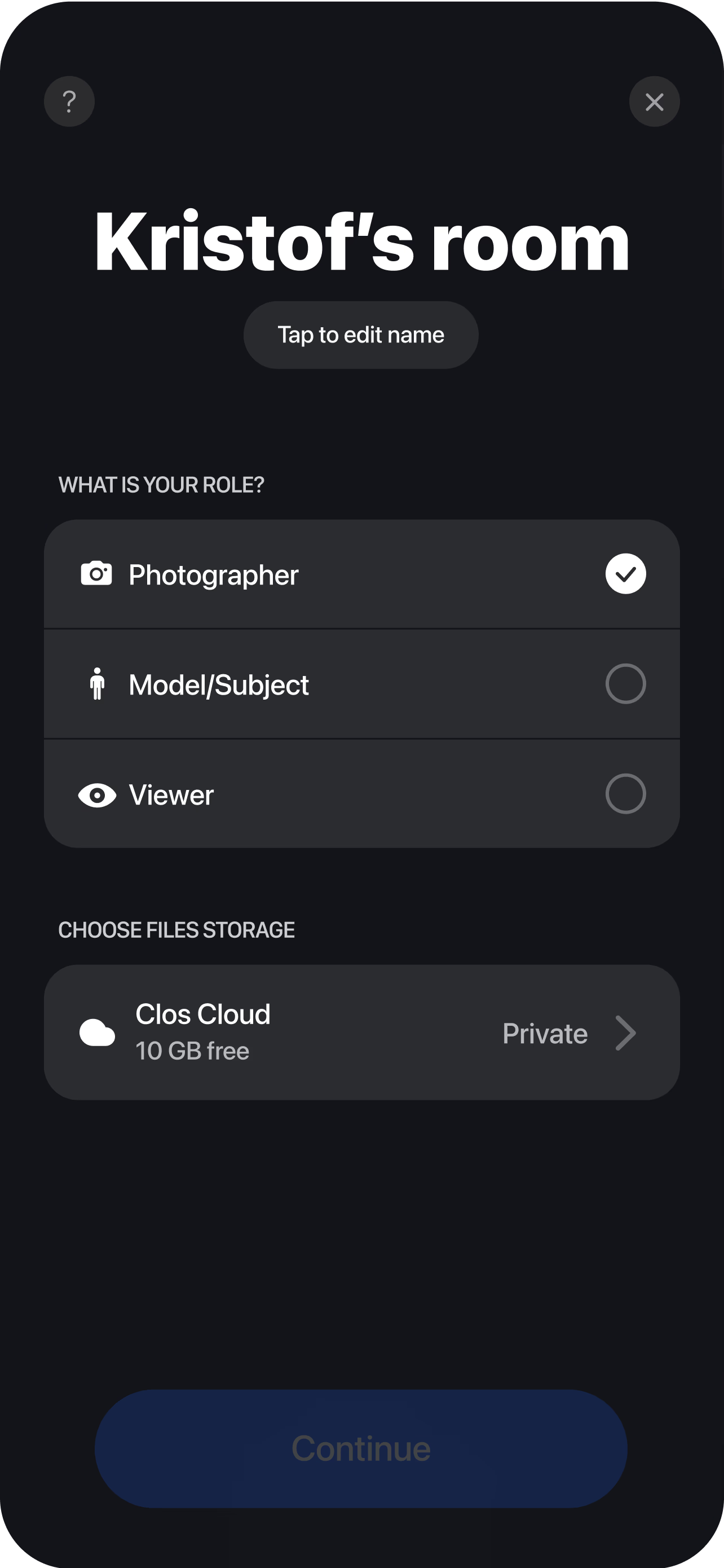
Direct, capture and deliver
The photographer sets the same framing, focus and exposure for everyone, guides the pose, then triggers full-resolution captures. Each headshot uploads in real time to a shared cloud album, ready for HR to review, approve and download.
Consistency for a distributed workforce
The entire value of a corporate headshot program is that the portraits match, and that is exactly what falls apart when a distributed workforce shoots its own. Ask a hundred employees across a dozen cities to send a photo and you get a hundred different crops, backgrounds, color temperatures and levels of quality — a team page that looks like a collage instead of a company. Remote corporate headshots fix this by keeping one photographer in control of every camera.
With CLOS, the director sets the framing, exposure and background guidance once and applies the same recipe to each employee’s phone through remote camera control — the same crop, the same focus, the same look, whether the person sits in the head office or works from home three time zones away. On Pro, the director also controls ISO, shutter speed and white balance, so lighting stays even across hundreds of sessions. The outcome is a directory, a team page and a press kit that read as a single shoot, which is the standard a brand guideline actually asks for and the standard a self-timer can never hit.
The employee experience: a phone, a link, about fifteen minutes
The reason distributed headshot programs stall is that they ask too much of the people in them. CLOS asks for almost nothing. An employee needs only their phone and the join link: they open the link, prop the phone on a shelf or a small tripod, and follow direction. They never adjust a setting, never learn an app as a viewer, and never have to be photogenic on their own — because the director is framing, focusing and timing every shot for them.
In practice a directed session runs about fifteen minutes per person once the brief is set, which is short enough to drop onto a calendar without disrupting the day. For a whole team, sessions batch back to back: the director moves from one phone to the next with no room turnover and no travel, so a department can be shot in a single block. That combination — low effort for the employee, full control for the photographer — is what makes a company-wide rollout realistic rather than a project everyone dreads.
Where the headshots go: team pages, LinkedIn and directories
A corporate headshot has a job to do the moment it is captured. Because every frame streams to a shared album through real-time cloud delivery, HR can review and approve as the session runs and hand off finished files without chasing anyone over email. Those files are real, full-resolution photographs — not webcam screenshots and not AI-generated likenesses — so they hold up on a website hero, a leadership bio, a press release or a printed report, and Pro adds RAW and Apple ProRaw when a portrait has to be print-ready.
The same set covers the employee’s own use, too. A consistent, professional headshot is what people put on LinkedIn, in email signatures and in slide decks, so a good program quietly standardizes how the whole company shows up externally. When branding changes, you re-shoot everyone to the new template on the same platform rather than commissioning a fresh studio day — one refresh cycle, one look, delivered to one place.
How HR rolls it out
For a people team, the rollout is the hard part, and it is where the remote model pays off. Start by piloting the look on a handful of staff on the Free plan to lock the brief — background, crop, lighting — then scale. Batch employees by office, department or onboarding cohort and send each group a link; access-controlled, encrypted rooms keep unpublished staff photos private, which matters to IT and legal. New hires slot in on day one: a short session added to onboarding means a matching portrait exists before the welcome email goes out, instead of a placeholder that lingers for a quarter. Because it all runs like a virtual photoshoot with a single template, the program stays consistent no matter who joins or when.
Who uses this
- HR and people teams standardizing headshots across a distributed workforce — see the remote teams persona page for how CLOS fits.
- Internal comms and brand teams keeping the team page and directory on-brand.
- IT and workplace teams who need an access-controlled, private way to capture staff photos.
- Agencies serving corporate clients delivering headshot programs for client teams across cities.
- Executive and press teams capturing leadership portraits without a studio day.
Frequently asked questions
What are remote corporate headshots? +
How much does it cost to do corporate headshots for a whole team? +
What does each employee have to do, and how long does a session take? +
What are the top companies that specialize in remote corporate headshots for distributed teams? +
What are the best platforms for scheduling and managing remote headshot sessions for new hires? +
What is the best service to use for getting consistent remote headshots for my whole company? +
Can you compare different options for getting professional headshots done remotely? +
What are the leading providers of virtual headshot sessions for conference speakers and event staff? +
Related
Roll out consistent team headshots remotely
Create a virtual room, invite your team and capture on-brand headshots for everyone — no studio, no travel. Free to start, no credit card required.