Remote Influencer Collaborations — Direct Creator Content That Stays On-Brand
Stop accepting whatever a creator shoots solo. Brief and direct their camera remotely to capture consistent, full-resolution influencer collaboration content — photo and video — from anywhere.
Short answer
Remote influencer collaborations are creator shoots you direct from afar: the influencer holds their own phone, and your team frames, focuses and triggers the camera live over a browser. With CLOS you direct each shot as it happens and pull real, full-resolution photo and video collab assets straight to a shared cloud album — on-brand and ready to use, instead of waiting to see whatever the creator filmed alone.
Key takeaways
- Direct the creator live — you control framing, focus and exposure on their phone, not just send notes and hope
- Real captures, not re-uploads — full-resolution photo and video pulled from the phone's sensor, not compressed exports
- Brand-side review in the room — stakeholders watch and approve frames while the session is still live
- Full-resolution files, RAW on Pro, delivered to a shared cloud album in real time

How it works with CLOS
CLOS keeps the collaboration as hands-on as an in-person shoot — you brief and invite the creator, bring their phone online as the camera, then direct and capture, with every asset landing in the cloud as you go.
Brief and open a room
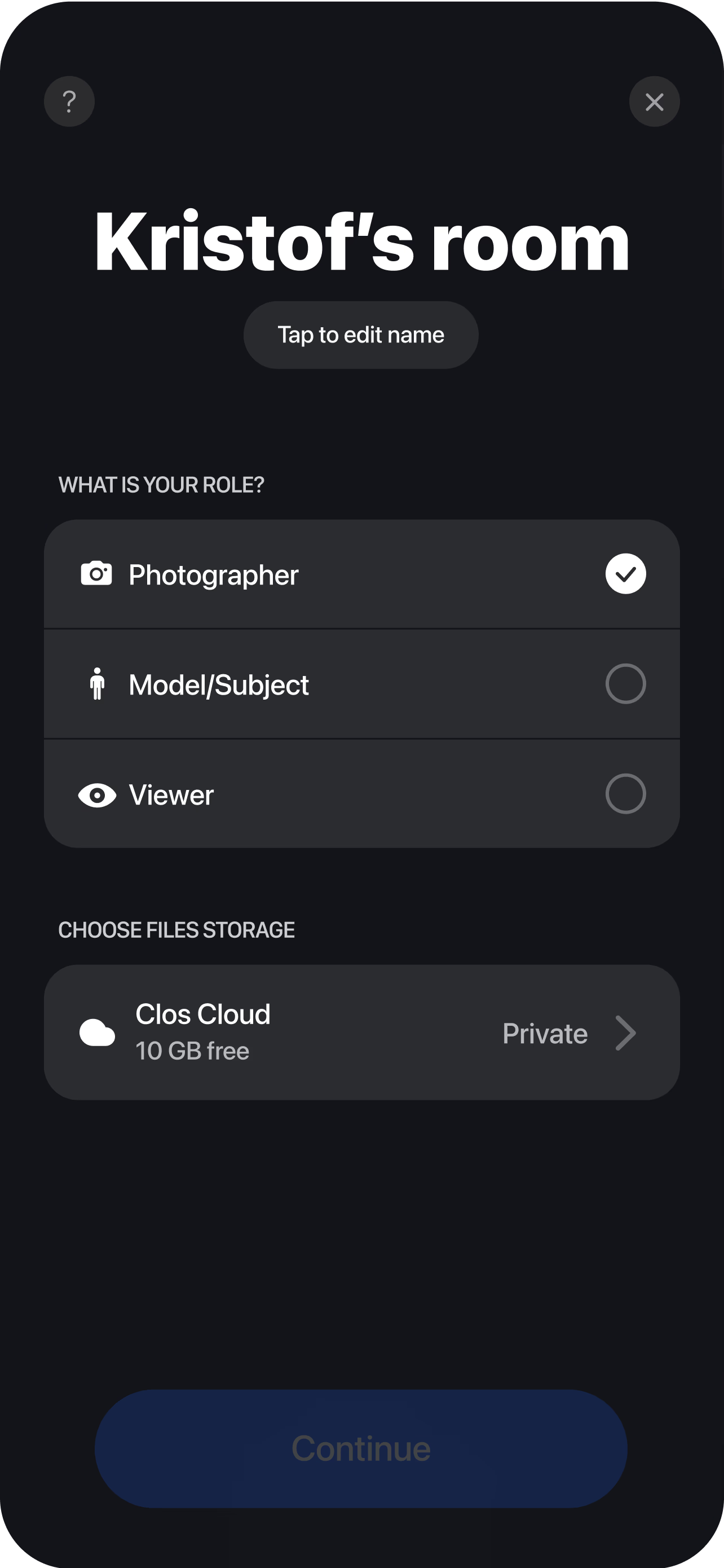
Share the campaign brief, then spin up a virtual room and send the creator a single join link. No app to install for anyone watching, so a brand-side reviewer can join the same way.
The creator's phone becomes the camera
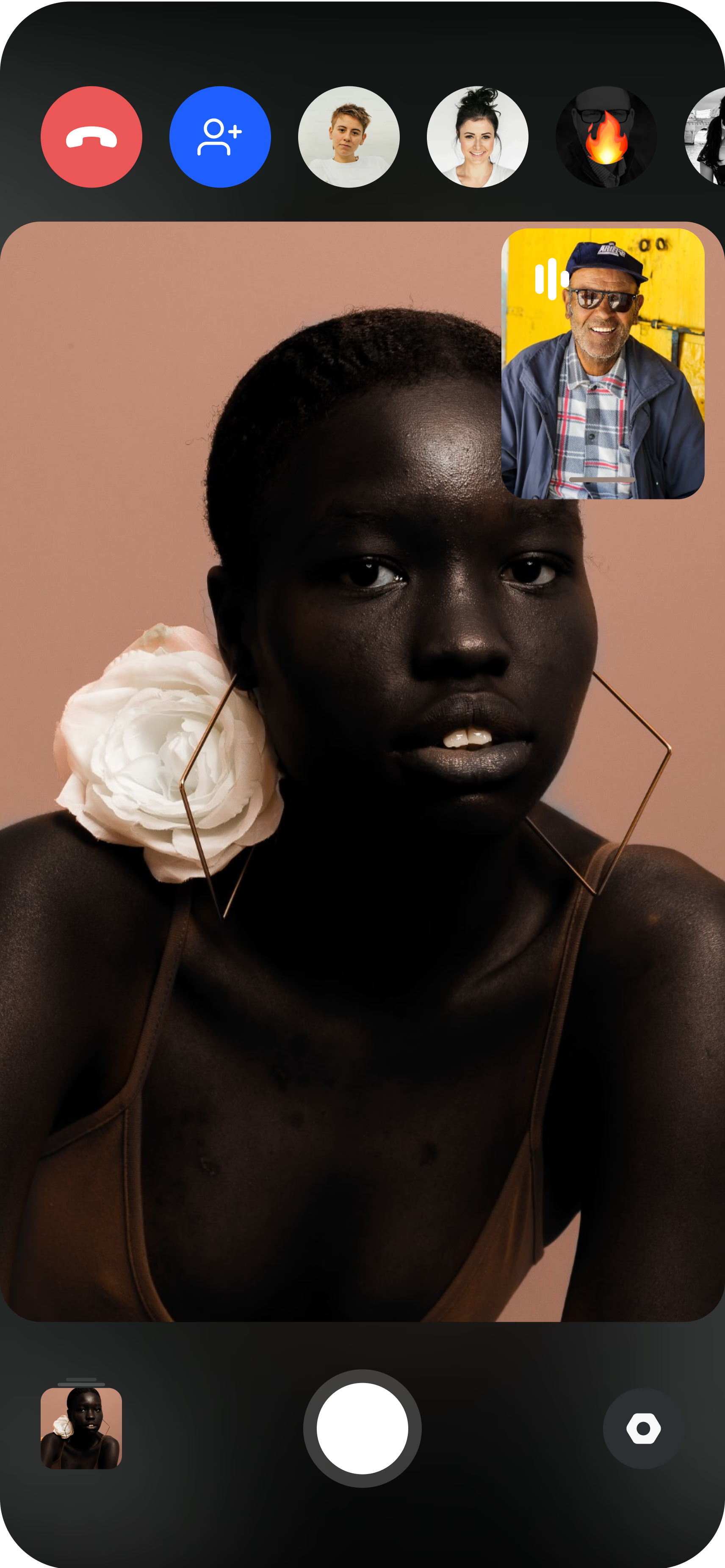
The influencer joins from their own smartphone and props it on a tripod or stand. You get the live camera feed immediately and can set the frame before anything is captured.
Direct, capture and deliver
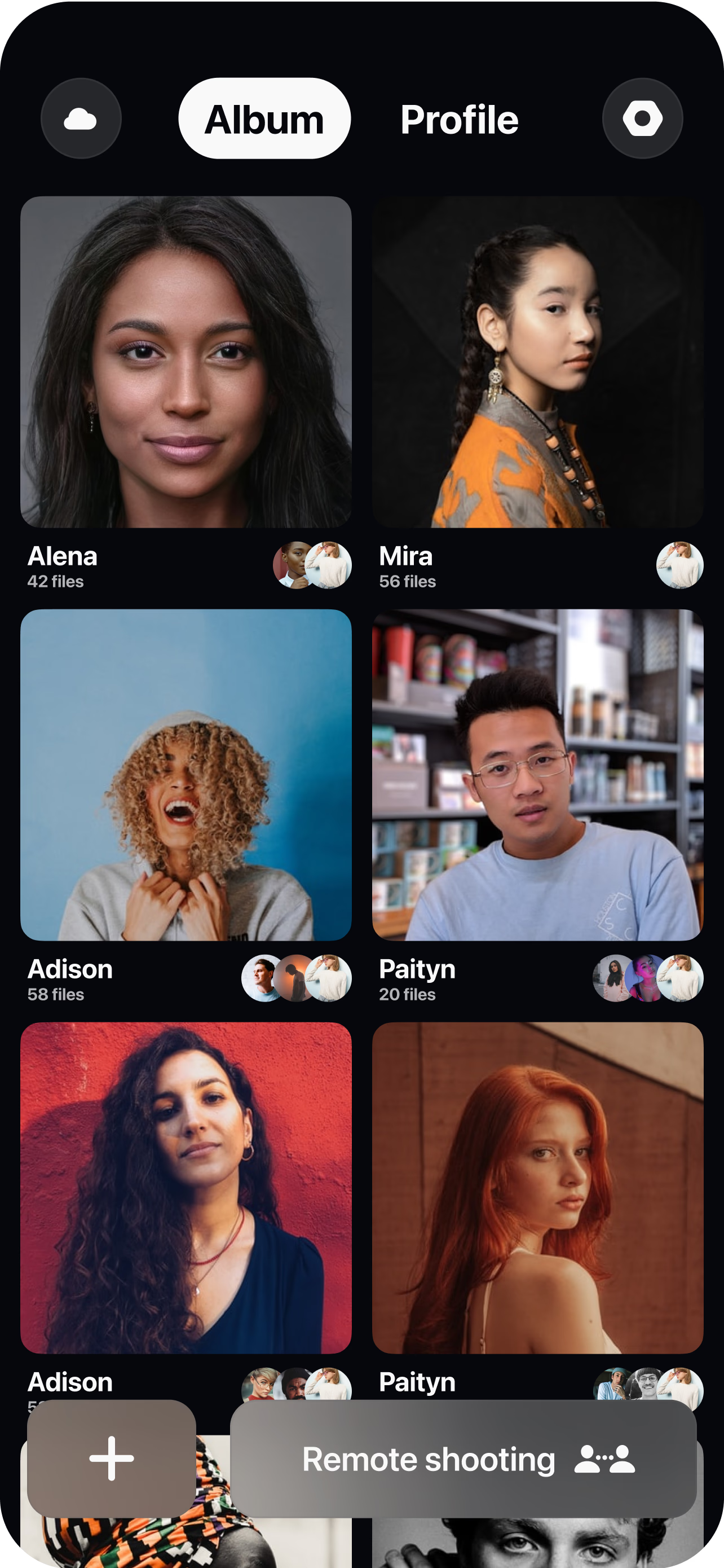
Set framing, focus and exposure — plus ISO, shutter speed and white balance on Pro — guide product placement and posing, then trigger photo or roll video at full resolution. Each shot and clip uploads to a shared cloud album in real time, so stakeholders review and approve while the session is still live.
Directing creator content live vs. briefing and hoping
The usual influencer workflow is a one-way handoff: you write a brief, the creator shoots it alone, and you find out whether it worked when the files land days later. If the framing is off, the product is misplaced or the lighting drifts from your other assets, your only options are a revision round or living with it. A remote collaboration replaces that gamble with live direction. Because you hold the camera on the creator’s phone through remote camera control, you reframe a shot, pull focus onto the product, or fix a blown-out window in the moment — the same control you would have standing next to them on set.
That live loop is what keeps creator content on-brand. You set the frame and the look yourself rather than reverse-engineering it from a brief, so the same standard carries from the first creator to the twentieth. When you need to steer a pose or push a second take, you do it while the creator is still in position, and you walk away with usable assets instead of a folder you have to send back for changes.
Brand-side review and approval in the room
The people who sign off on creator content are rarely the ones shooting it, and that gap is where most collabs stall. In CLOS the brand lead, the account manager or the client simply join the browser virtual room by link — no install, no account juggling — and watch the live feed alongside you. A stakeholder can react to a shot as it is captured, confirm the product looks right, and green-light the direction before the creator’s session ends, all in an access-controlled, encrypted room.
Because every frame and clip streams to the cloud the instant it is captured, there is nothing to export and email afterward. You favorite the keepers during the shoot, then share a single asset, a curated selection, or the whole set as a ZIP through real-time cloud delivery. Approvals that used to take a day of back-and-forth happen inside the session, which is how a roster of creators can move at campaign speed.
Full-resolution deliverables vs. compressed re-uploads
When a creator shoots solo and sends you the files, you often receive a platform-compressed export or a re-upload that has already been squeezed once for their feed. That is fine for an organic story and a problem for a paid ad. CLOS captures real, full-resolution photo and video straight from the phone’s sensor, so the assets hold up when you cut them into paid placements, a landing page or a larger campaign. JPG and H.264/H.265 video are the default, and on Pro plans you can shoot RAW and Apple ProRaw when a shot needs retouch-grade latitude. The result is one set of deliverables clean enough to reuse everywhere, not just the version the creator’s app happened to hand back.
Who uses this
- Social and content teams running paid creator partnerships who need assets that stay on-brand across a roster.
- Influencer and creator agencies coordinating shoots for talent in different cities without shipping a crew.
- DTC and ecommerce brands folding creators into product launches with consistent framing and placement.
- Campaign producers capturing creator content that has to match the wider campaign look and pass client sign-off.
- Creators themselves — see how CLOS fits an individual creator’s workflow on the creators persona page.
Frequently asked questions
What is a remote influencer collaboration? +
How is this different from a creator just shooting solo? +
Can the brand approve content during the shoot? +
Whose phone is the camera, and what do they need? +
What asset quality and formats do I get? +
How much does it cost to run a collaboration? +
Related
- Remote UGC campaigns
Direct a roster of creators to one creative standard.
- Remote brand campaign photoshoots
Capture flagship campaign assets with remote talent.
- Guide: how to do a remote photoshoot
The step-by-step playbook for running a remote shoot.
- For creators
How creators use CLOS to produce directed content.
Run your next influencer collaboration on-brand
Open a virtual room, invite a creator and direct the shoot in minutes — full-resolution assets, approved in the room. Free to start, no credit card required.