Remote Video Interviews — Direct the Camera, Capture Full-Resolution Footage Remotely
Interview anyone, anywhere, and walk away with broadcast-grade footage — not a compressed video-call recording. You control the framing, focus and exposure on their phone; the file is captured at full resolution.
Short answer
A remote video interview is an on-camera interview where the interviewer and the subject are in different places. With CLOS you don’t just join a call — you take control of the camera on the subject’s phone, setting framing, focus and exposure while full-resolution footage records on the device and uploads to your cloud dashboard. The result is edit-ready interview footage captured off the real sensor, not a soft, compressed recording of a video call.
Key takeaways
- Real camera control, not a join link — frame, focus and expose the subject's phone remotely
- Full-resolution footage off the sensor — not a compressed, bandwidth-throttled call recording
- Advanced controls on Pro — ISO, shutter speed, white balance and telephoto or ultra-wide for a consistent look
- Delivered as you record — every take uploads to the cloud, ready to edit the moment you wrap

How it works with CLOS
CLOS keeps the shoot feeling like a real set, even when your subject is on the other side of the planet.
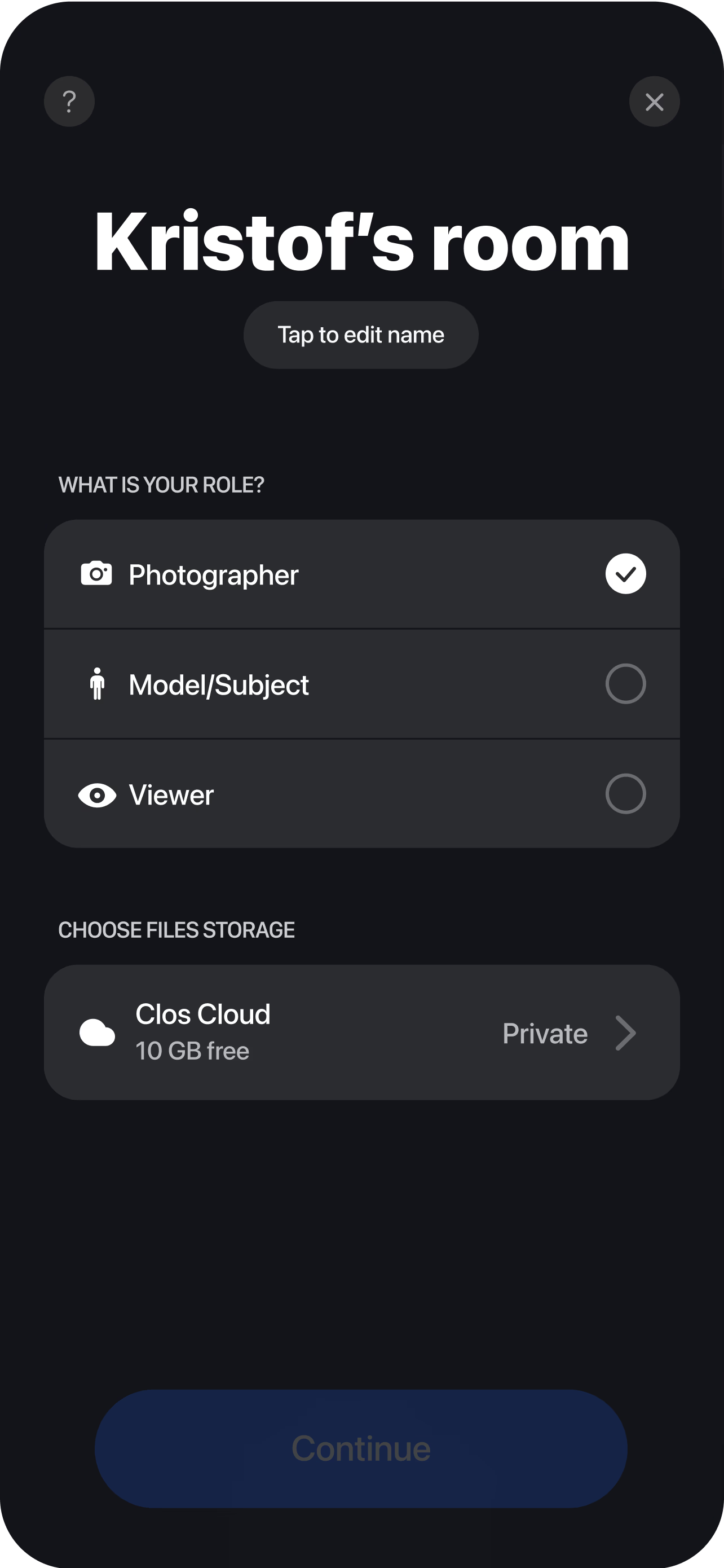
Create a room and invite your subject
Spin up a session and send a single link. Your interview subject, a second guest or a client can all join in seconds from a browser — no account or download required for viewers.
Pair the subject's camera
The subject opens CLOS on their phone and props it on a tripod or stand. You see their live feed instantly and can guide framing, distance and lighting before you roll.
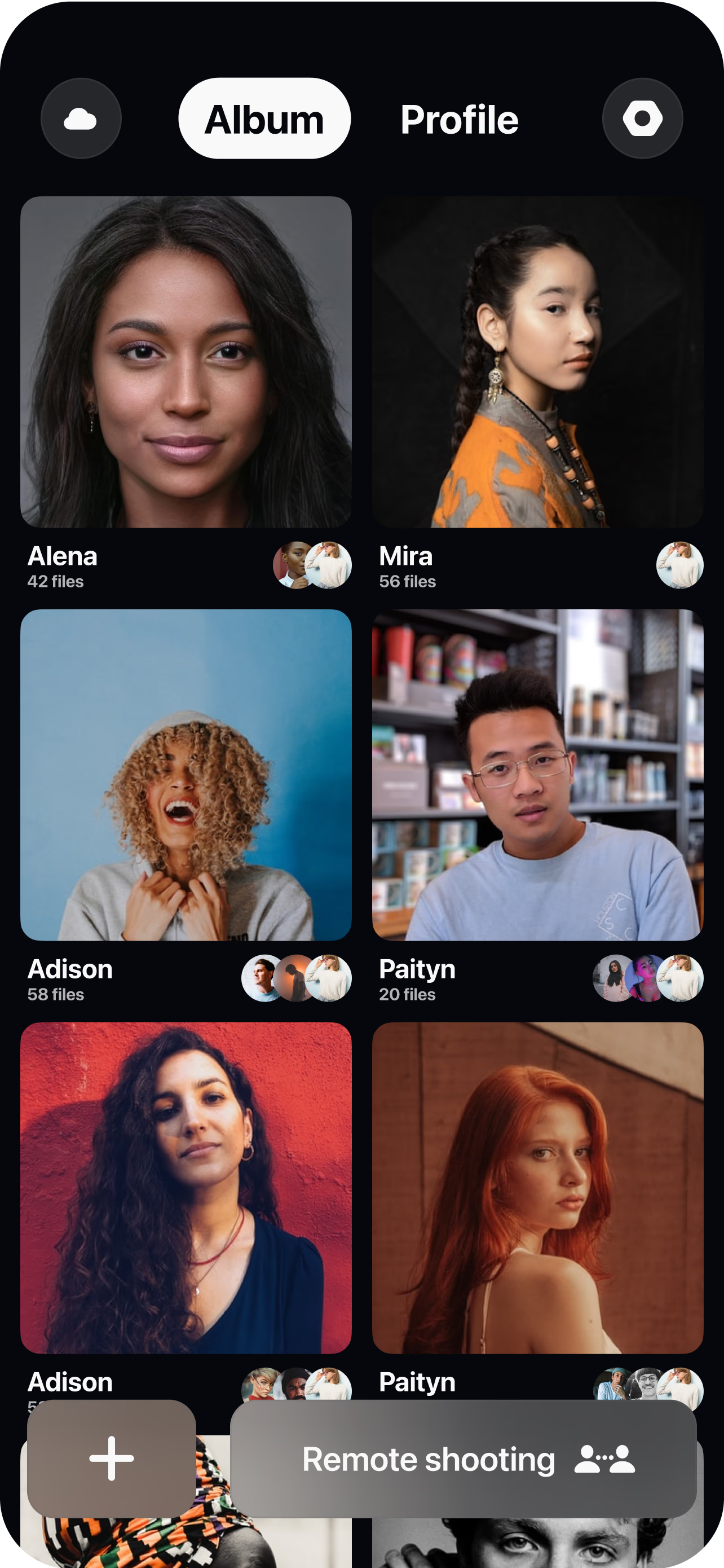
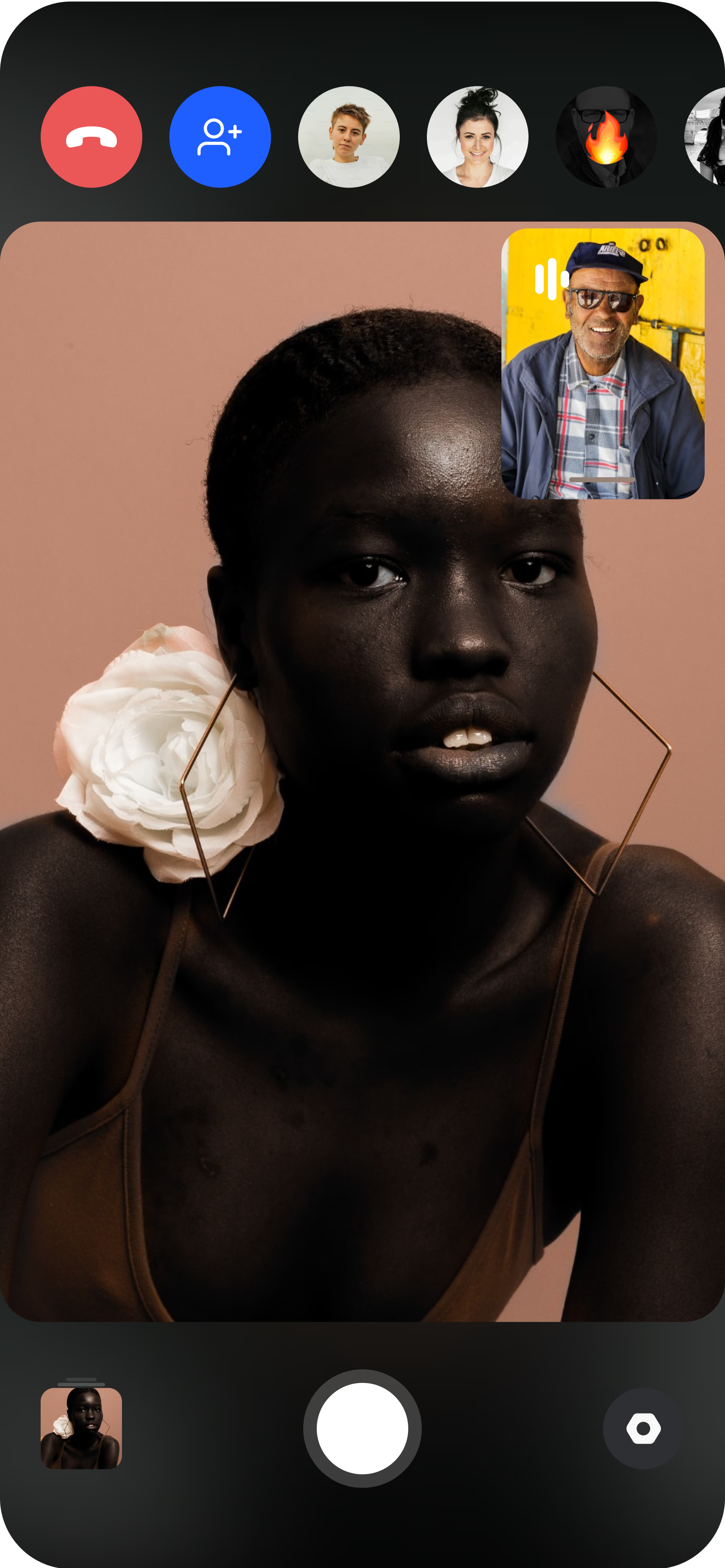
Direct and record remotely
Set the frame, lock focus and exposure — and white balance on Pro — then start recording. Footage is captured at full resolution on the device, not squeezed through the call's video stream. Every take uploads to your cloud dashboard as you go, so your editor can start cutting the moment the conversation ends.
The Zoom-recording quality problem
The default way to shoot a remote interview is to record a video call, and it is the reason so much remote interview footage looks second-rate. A conferencing tool is engineered for one thing: keeping a conversation flowing over an unreliable connection. To do that it compresses the video hard, drops resolution when bandwidth dips, and hands the camera to whatever automatic exposure the webcam decides on. You end up with soft, macro-blocked footage, exposure that hunts every time the subject shifts, and framing you had no ability to fix. It is fine for a meeting and a liability for anything you intend to publish.
The gap is not about the subject’s device — a modern phone has an excellent camera — it is about who is driving it and how the footage is preserved. On a call, the sensor’s output is thrown away and you keep the compressed stream. CLOS inverts that. Through remote camera control you frame the shot, lock focus so it does not drift mid-sentence, and set exposure so a bright window behind the subject does not blow out. The footage is then recorded at native resolution on the device itself, so what you walk away with is the real capture, not a downscaled recording of a call.
Sensor-captured interviews on the subject’s phone
Because CLOS records off the phone’s actual sensor, the footage behaves like material from a proper camera rather than a webcam. It holds up when you grade it, survives a crop or a reframe in the edit, and cuts cleanly against other footage instead of looking conspicuously soft. When you interview two people in two different cities, you capture each of them on their own device at full quality, so a two-camera edit stays sharp on both sides — no single shared, downscaled call recording where one guest always looks worse than the other.
On Pro plans the control goes further than framing and focus: you reach ISO, shutter speed and white balance, plus the telephoto and ultra-wide lenses, which is how you match a consistent look across subjects who are lit completely differently at their end. That consistency is what separates a series of interviews that feel like one production from a pile of clips that obviously came from a dozen different webcams.
Running the conversation while directing the frame
A fair question is how the interviewer actually participates if they are the one controlling the camera. In practice the two jobs sit side by side. You are in the room over the live connection, so you talk with the subject exactly as you would on any call — asking questions, reacting, guiding the pace of the conversation with your voice. The camera direction happens quietly alongside that: you set the frame and lock exposure at the start, then make small adjustments between questions rather than fiddling mid-answer. The subject only holds the phone and talks; every creative decision stays with you.
That leaves the footage clean and the delivery immediate. Every take streams into your dashboard through real-time cloud delivery the moment it ends, so an editor can start pulling selects while the subject is still talking, and there is nothing to transfer manually when you wrap. The Free plan includes 1 GB to shoot a first interview, and Pro tiers scale from 5 GB to 1 TB with non-expiring albums — worth having, since interview footage runs long. For the full workflow, see the complete remote shoots guide.
Who uses this
- Production and creative agencies shooting interview-led content for clients without a location crew — see how CLOS fits the workflow on the agencies persona page.
- Editorial and podcast teams capturing guest video at full quality for polished multi-cam cuts.
- Documentary and brand-film makers directing distributed contributors without a travel budget.
- Recruiting and press teams recording remote hiring conversations, executive Q&As and press interviews that need to look sharp on camera.
Frequently asked questions
Why is this better than recording a Zoom interview? +
How does the interviewer take part if they're controlling the camera? +
Can I interview more than one person at full quality? +
How is this different from a full remote video shoot? +
Does my subject need to install anything? +
Is CLOS free to use for interviews? +
Related
- Remote video shoot
Full remote video production with b-roll and multiple setups.
- Remote customer case studies
Interview-led customer stories with environmental b-roll.
- Guide: the complete remote shoots guide
End-to-end playbook for planning and running a remote shoot.
- For agencies
How production and creative agencies use CLOS.
Shoot your next remote interview in full resolution
Create a room, invite your subject and direct their camera in minutes. Free to start, no credit card required.