Virtual Real Estate Tours & Remote Property Photography
Get full-resolution listing photos and walkthrough video of any property without sending a photographer. Direct the owner, tenant or a junior agent on-site while you control the camera remotely.
Short answer
A virtual real estate tour with CLOS is a remotely captured photo-and-video walk-through of a property — not a 3D scan or a Matterport model. Someone already at the home holds the phone while you control framing, focus and exposure from your desk and roll a guided walk-through. CLOS delivers full-resolution listing photos and tour video to the cloud as you shoot, so listings go live without booking a photographer.
Key takeaways
- Real photos and video, directed remotely — a captured walk-through of the actual home, not a 3D render or AI image
- You control framing, focus and exposure — the on-site person just holds the phone and moves room to room
- Anyone can be your camera operator — an owner, tenant or junior agent with a link, no photography skills
- Full-resolution files, RAW on Pro, delivered to the cloud in real time and ready to publish to the listing

How it works with CLOS
CLOS keeps the workflow close to an in-person shoot — you open a room for the listing, bring the on-site phone online, then direct and capture each room, with every photo and clip landing in the cloud as you go.
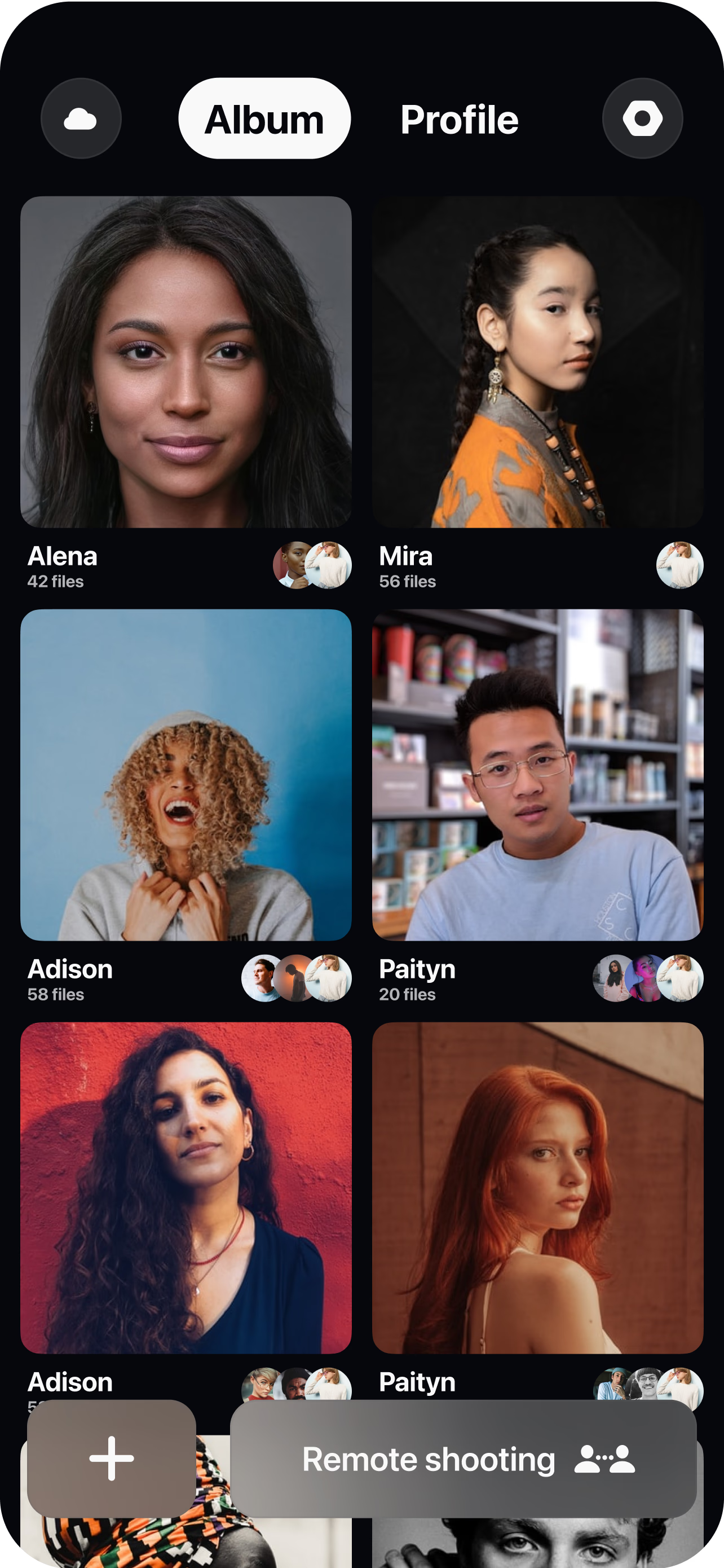
Create a room for the listing
Spin up a session and send the on-site person — owner, tenant or junior agent — a single link to join. No app store hunting and no scheduling a photographer.
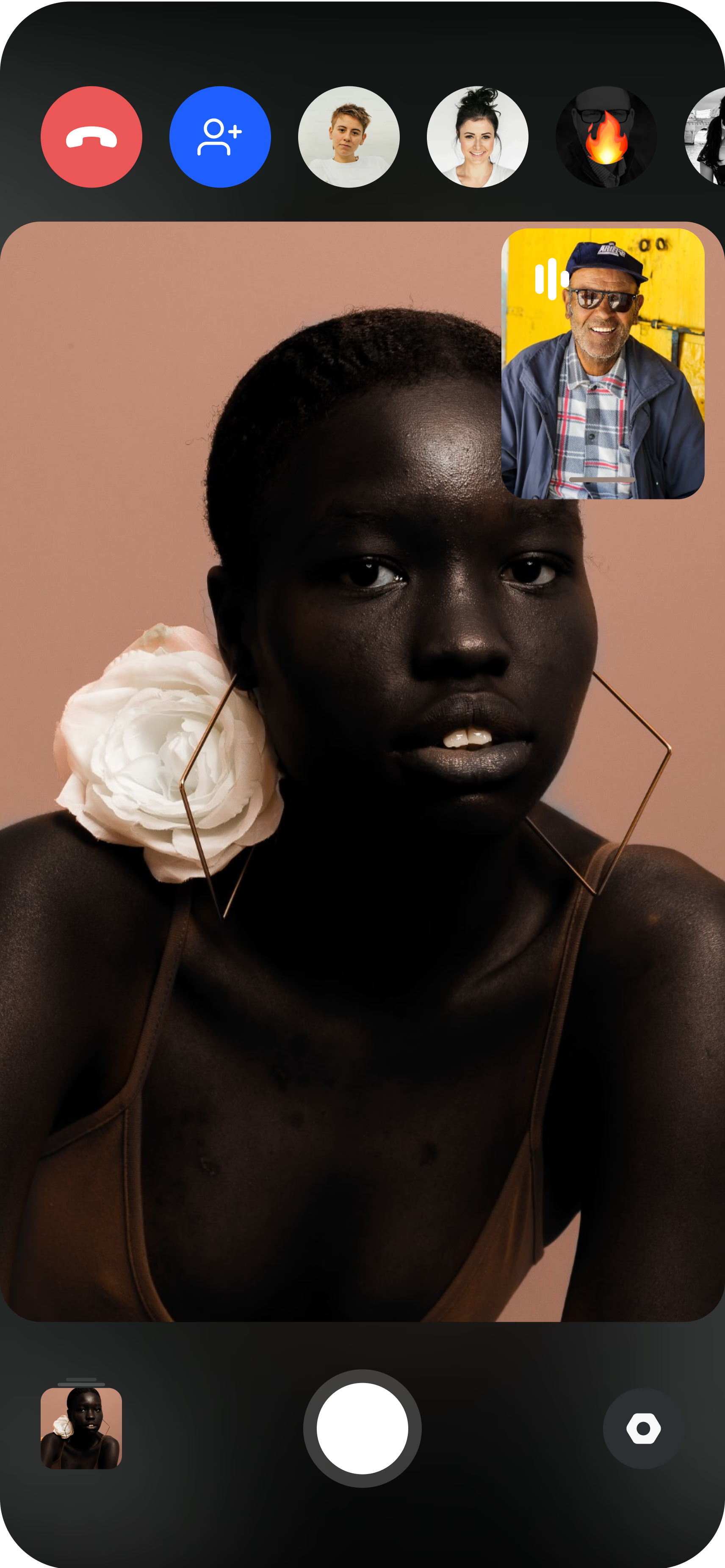
The on-site phone becomes the camera
They join from their smartphone and you see the live feed instantly. A small tripod or even a steady hand is enough to start capturing rooms.
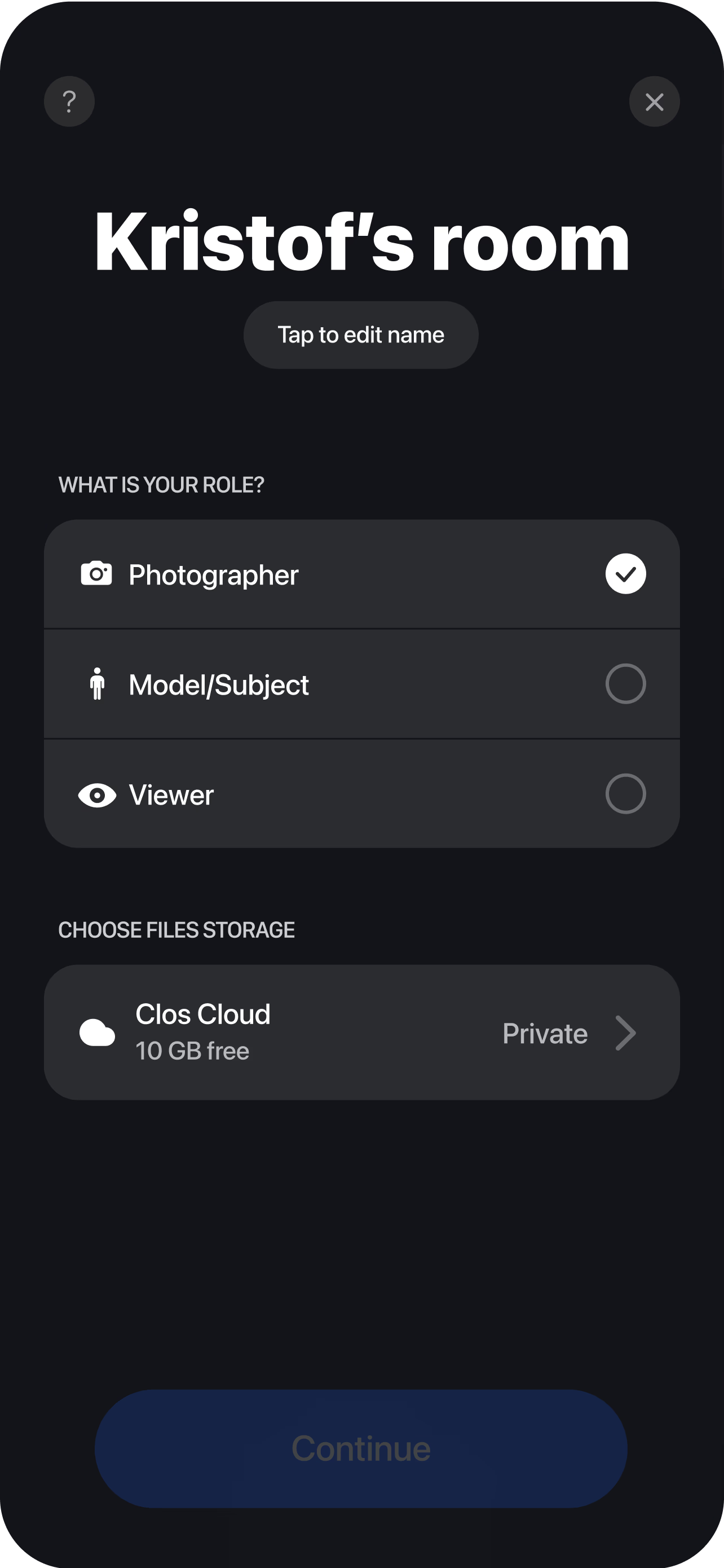
Direct, capture and deliver
Guide them room to room, straighten the frame, lock focus and exposure for bright windows and dark corners, then trigger full-resolution stills and roll walkthrough video. Every photo and clip uploads to your cloud album in real time, ready to push to the MLS or listing portal the same day.
Listing photos and video captured remotely
A listing rises or falls on its photos, and the traditional bottleneck is dispatching a photographer to every property. A remote shoot removes that step without giving up image quality. A person already at the home — typically the seller, the current tenant or a colleague — points a smartphone while you connect from anywhere and take the camera through remote camera control. You frame each room, straighten verticals, and lock focus and exposure so a bright window does not blow out and a dark corner does not sink, then trigger full-resolution stills. This is a real, high-resolution photograph of the actual property, not a screen recording of a video call and not an AI-generated render.
Because you stay the art director, the listing matches your agency’s style across every property and portal, even when no professional is on-site. Straight frames, consistent exposure and a clean crop are decisions you make from your desk rather than leave to chance — which is what separates a listing set that sells from a folder of crooked phone snaps.
One directed walk-through session
The word “tour” here means a captured walk-through, not an interactive 3D model. In a single session you guide the on-site phone from space to space and roll video for a continuous walk-through of the home, then stop to capture stills of the rooms that matter. Photos and video come out of the same session, so you publish listing images and a guided property tour clip from one remote shoot instead of booking two. When a property has interiors that feel tight on a standard lens, Pro plans add the ultra-wide lens, which gives rooms more breathing room in the frame the way an interior photographer would shoot them. See remote video shoot for the same approach applied to longer-form video.
The people who benefit most are the ones a photographer schedule slows down: occupied rentals where you direct a tenant, out-of-town listings where a colleague holds the phone, and relocation units nobody local can reach. Anyone on-site can be your operator because all the skill lives on your side of the session.
Instant delivery to the listing team
Speed to market is the other half of the value. Every photo and clip streams to your cloud album the moment it is captured through real-time cloud delivery, so there is nothing to hand off a memory card or upload after the fact. The listing team, a coordinator or a retoucher can pull files while you are still shooting the next room. You can capture a property the hour it is signed, deliver the set the same day, and push it to the MLS or portal without waiting on a photographer’s turnaround. On the Free plan the delivery includes 1 GB of storage; Pro tiers scale up for agents running high-volume listings and add non-expiring albums so a sold listing’s images stay available.
Who uses this
- Listing agents shooting their own properties the day they sign, without a photographer’s lead time.
- Brokerages and property teams standardizing listing photography across agents and markets — see the marketing teams persona page.
- Property managers capturing occupied rentals and turnovers by directing a tenant or on-site staffer.
- Relocation and out-of-town sellers who need a distant property shot without anyone traveling.
- Real estate marketers producing consistent listing photos and walk-through clips across a portfolio.
Frequently asked questions
What is a virtual real estate tour with CLOS? +
Who holds the phone on site? +
Can I capture photos and video in one session? +
Is this a 3D or interactive tour? +
What does it cost, and what do I get on each plan? +
What file formats do I get for listings? +
Related
Shoot your next listing without leaving your desk
Create a room, send the owner or your colleague a link, and start capturing listing photos and tour video in minutes. Free to start, no credit card required.