Remote Video Shoot — Direct, Capture and Deliver Full-Resolution Video Remotely
Shoot video remotely without a crew on location. The subject holds a phone, you control the camera, and clean footage lands in your cloud dashboard — ready for ads, social and b-roll.
Short answer
A remote video shoot is a real video production run from a distance: the subject holds or props up a smartphone, and you control framing, focus and exposure remotely while recording full-resolution footage. With CLOS the camera records H.264 or H.265 on the device and the clips land in a cloud dashboard the moment each take is done — so you get usable footage for ads, social and b-roll, not a compressed screen recording of a video call.
Key takeaways
- Direct the camera, not just the call — set framing, focus and exposure on the subject's phone and start and stop the take yourself
- Real footage, recorded on-device — full-resolution H.264 or H.265, not a downscaled video-call stream
- Delivered as you shoot — each clip uploads to the cloud the moment the take ends, ready to review and download
- Scales up on higher plans — RAW stills and advanced controls on Pro; ProRes video on Enterprise

How it works with CLOS
CLOS keeps the rhythm of an on-set shoot — direction, monitoring and capture — without putting anyone on a plane.
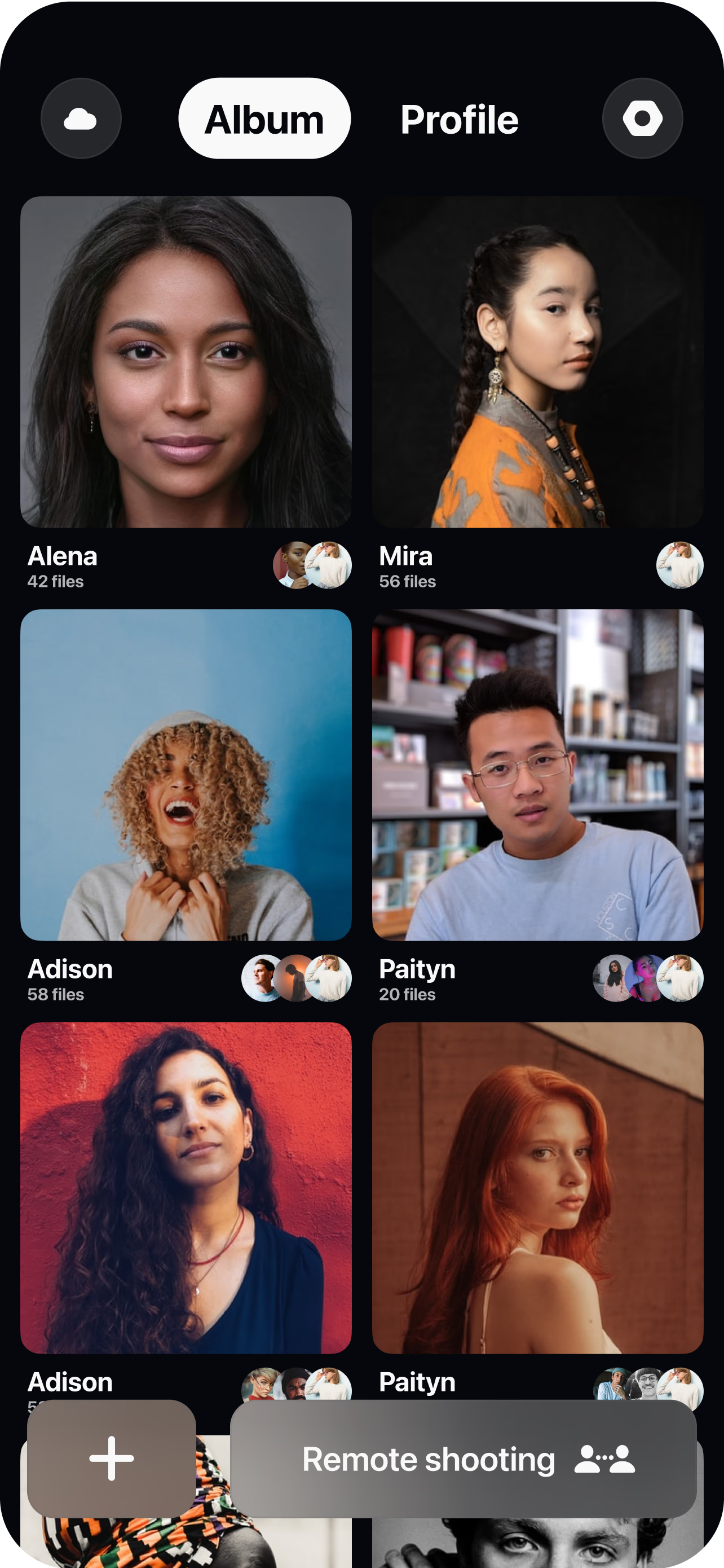
Open a virtual room
Create a session in seconds and invite the subject, the client and your team with a single link. Viewers join from a browser with nothing to install.
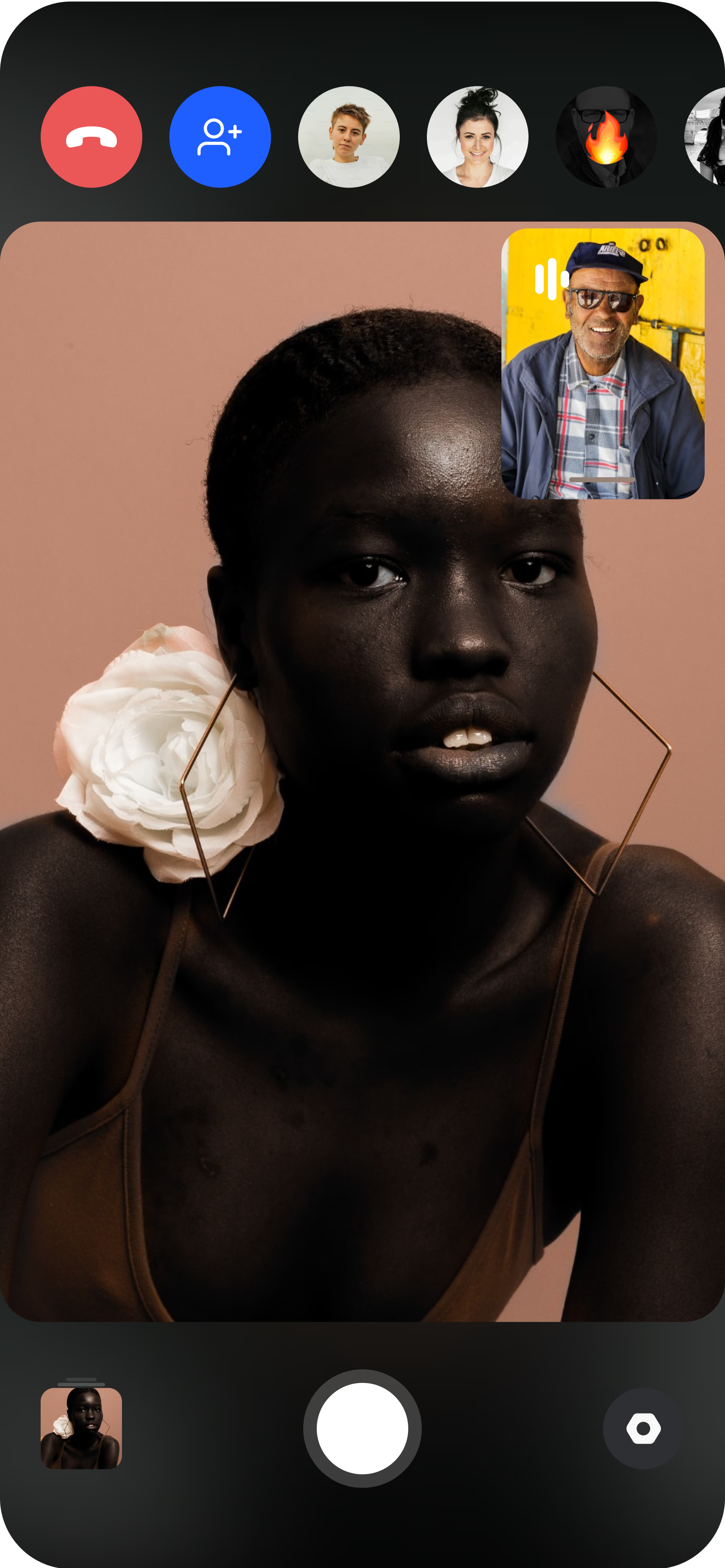
Pair the camera
The subject joins from a smartphone and stands it on a tripod or holds it; you get a live preview of exactly what the lens sees before you roll.
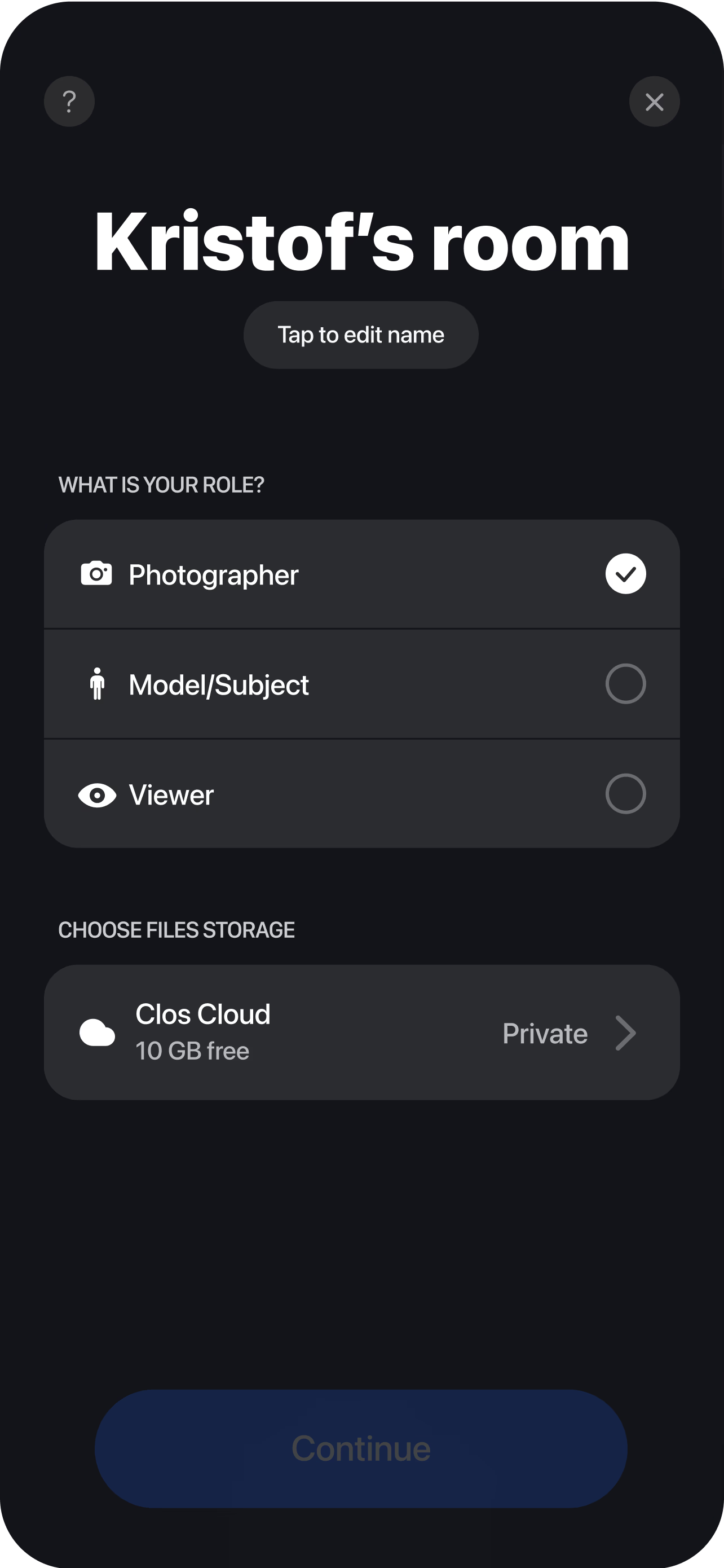
Direct and roll
Set the frame, lock focus and dial exposure, then start and stop recording remotely while you guide performance and movement. Each clip uploads to your dashboard, ready to review, organize and download the moment the take is done — no shipping cards.
Directing the shoot, not just the call
The difference between a remote video shoot and a video call is control. On a call, you talk a subject through what you want and accept whatever their webcam happens to produce. On a CLOS shoot, you hold the camera on their phone through remote camera control and run the take the way you would on set.
That means you set the frame yourself — reframe a wide to a tight, level a horizon, fix a crooked headroom — before anyone rolls. You lock focus on the subject so it does not hunt mid-sentence, and you set exposure so a bright window behind them does not blow out the shot. On Pro plans you also reach ISO, shutter speed and white balance, plus the telephoto and ultra-wide lenses, so you can match a look across two subjects in two different cities. Then you start and stop recording on your own timing, direct a second take when the first one is close but not there, and coach performance in the moment instead of waiting for a file to land and discovering the take did not work.
The subject’s only job is to hold the phone steady and follow direction. Every creative decision stays with you, which is what makes the footage usable rather than something you have to salvage in the edit.
Footage in the cloud as you shoot
On a traditional shoot, the gap between capturing and seeing the footage kills momentum — you wrap, someone hands over a card, and the real work starts hours later. CLOS closes that gap. Every clip streams into your dashboard through real-time cloud delivery the moment the take ends, so a client can approve a take while the subject is still in front of the camera and an editor can start cutting before the session wraps.
The footage records on the device at full resolution, so it holds up as broadcast-usable material rather than the soft, stuttering capture a screen grab produces. When the session is done there is nothing to transfer manually: download a single hero clip, a hand-picked selection, or the entire shoot packaged as a ZIP, whichever fits the next step. The Free plan includes 1 GB of storage to try a full session, and Pro tiers scale from 5 GB up to 1 TB with non-expiring albums, which matters because video files run large.
Where remote video works
A remote video shoot covers a lot of ground because the whole job is real, directed capture of a real person. Formats and codecs stay accurate to what the device and plan support: CLOS records H.264 and H.265 across plans, and Enterprise adds ProRes for teams that need it. Because you can shoot stills and motion in the same room, one session often delivers both a hero clip and the photos to go with it.
- Interviews — talking-head and expert footage recorded across cities without flying anyone in. See remote video interviews.
- Testimonials — authentic customer stories on camera, directed so they are usable, not just heartfelt. See remote video testimonials.
- B-roll and product motion — supporting footage and detail shots captured to spec alongside the main take.
- Ads and social clips — short-form video of real people for paid and organic placements, framed for the aspect ratio you need.
Who uses this
- Creative and production agencies producing video for clients without a location crew — see how CLOS fits the workflow on the agencies persona page.
- In-house content and brand teams capturing interviews, testimonials and social video across markets.
- Video producers and directors who want real camera control and full-resolution footage from a remote subject.
- Growth and performance teams building a library of video hooks and variations to feed always-on testing.
Frequently asked questions
What is a remote video shoot? +
What video formats and codecs does CLOS record? +
Can I shoot both video and photos in one session? +
How is a remote video shoot different from a Zoom call? +
How much does it cost to run a remote video shoot? +
Do clients and talent need to install anything? +
Related
- Remote video interviews
Record talking-head and expert footage remotely.
- Remote video testimonials
Capture authentic customer stories on camera.
- Guide: the complete remote shoots guide
End-to-end playbook for planning and running a remote shoot.
- For agencies
How production and creative agencies use CLOS.
Run your first remote video shoot today
Open a virtual room, invite your subject and start rolling in minutes. Free to start — no credit card required.