Virtual Photoshoot Platform — Remote Camera Control, RAW Capture, Cloud Delivery
Direct a full virtual photoshoot remotely: the model holds a phone, you control the camera. Real framing, real lighting guidance and full-resolution files — without travel or a studio.
Short answer
A virtual photoshoot is a real photo shoot run remotely: the subject uses a phone as the camera, and the photographer directs and triggers it from anywhere, controlling focus, exposure and RAW capture in real time. With CLOS the files come straight off the phone’s sensor and land in the cloud full-resolution as you shoot — real photographs of a real person or product, not AI images or video-call screenshots.
Key takeaways
- Real photos, not screenshots — full-resolution files pulled from the phone's sensor, not a compressed video-call grab
- Full remote camera control — shutter, focus and exposure for everyone; ISO, shutter speed, white balance and RAW on Pro
- Cloud delivery in real time — every frame appears in a shared album the moment you shoot it
- App to capture, browser to direct — the subject runs the CLOS app; clients and crew join by link with no install

How it works with CLOS
CLOS keeps the workflow close to a real shoot, just without the travel: you open a room and brief the subject, their phone becomes the camera, then you direct and capture while every frame streams to the cloud.
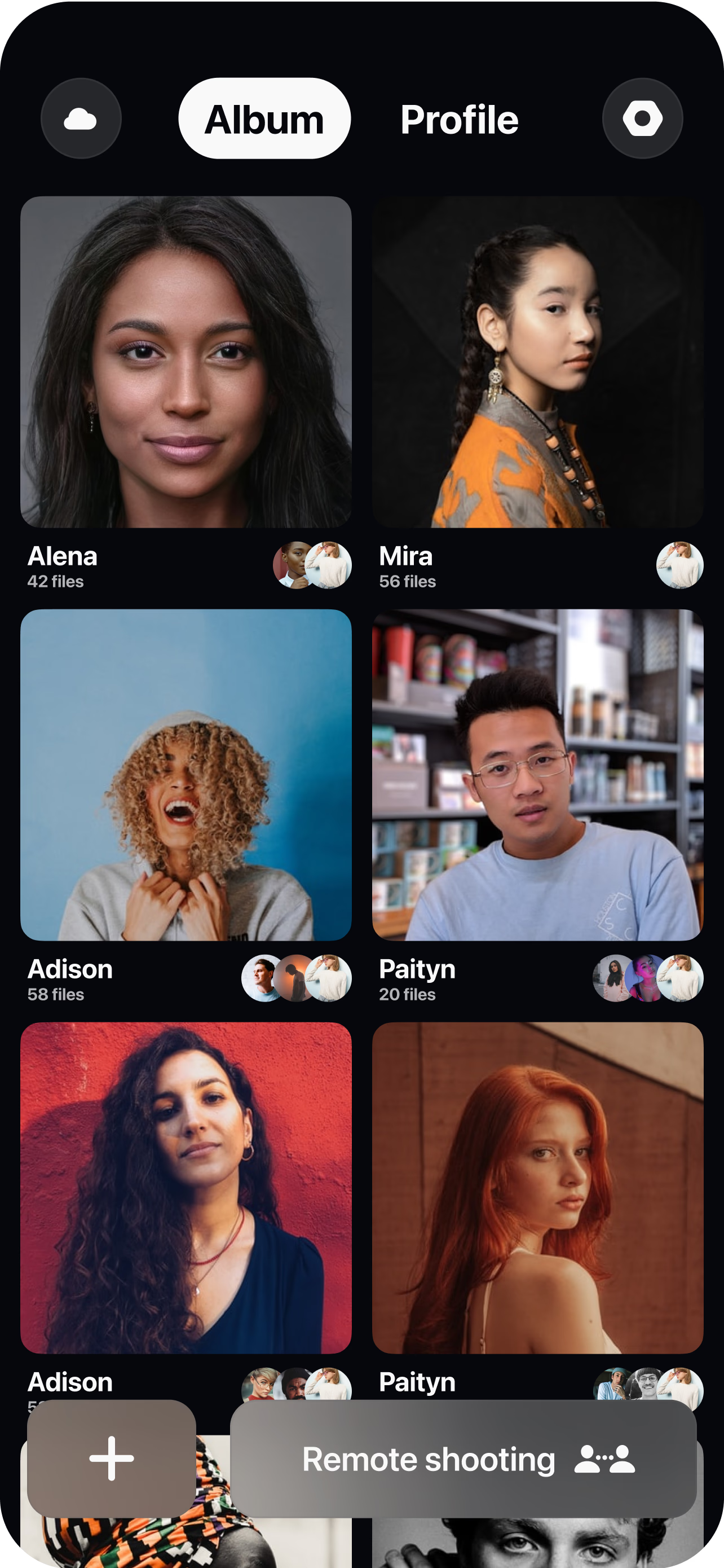
Create a virtual room and invite the subject
Spin up a session in seconds and send the model, client and crew a single link. Clients and crew join from a browser with nothing to install.
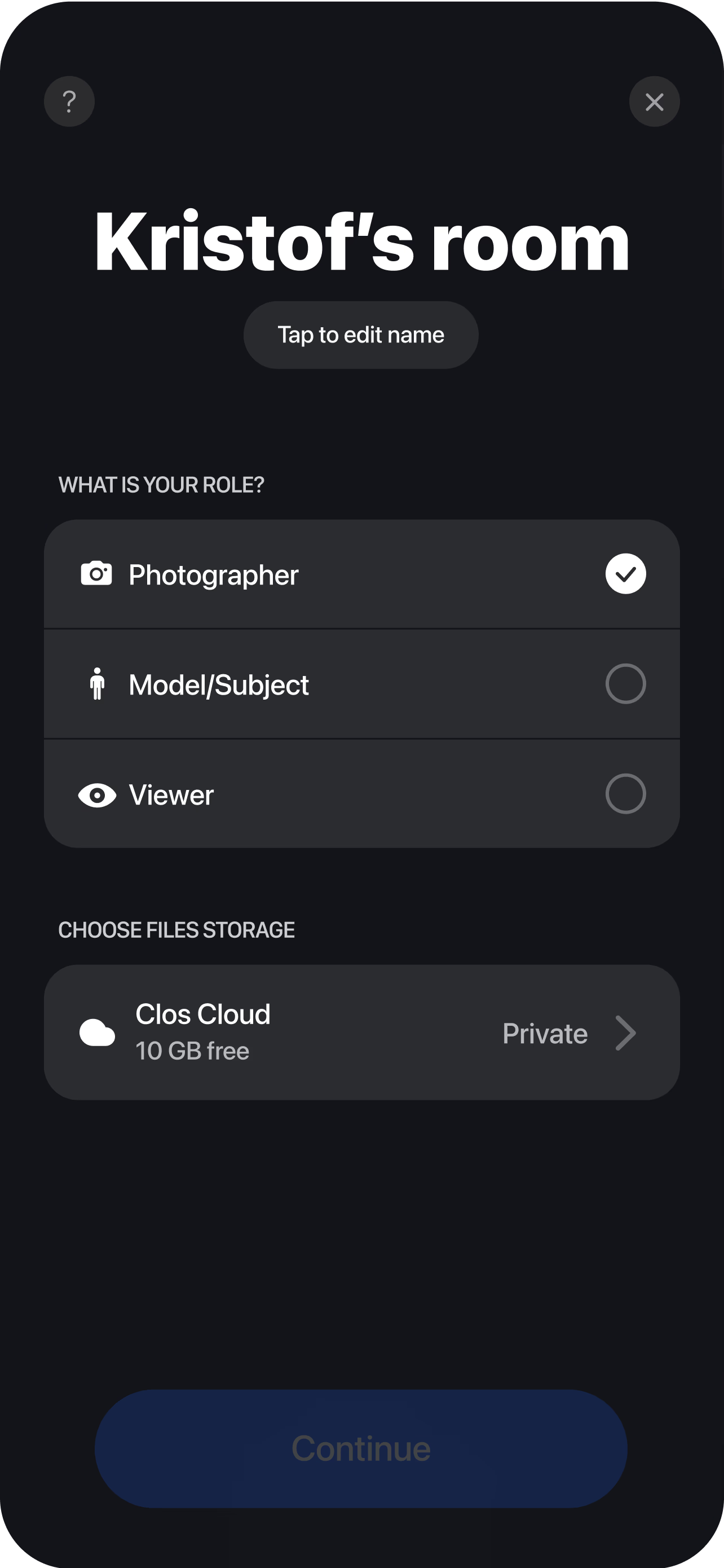
Pair the phone as the camera
The subject joins from a smartphone and props it on a tripod — you see the live feed instantly and set the frame, focus and exposure before the first shot.
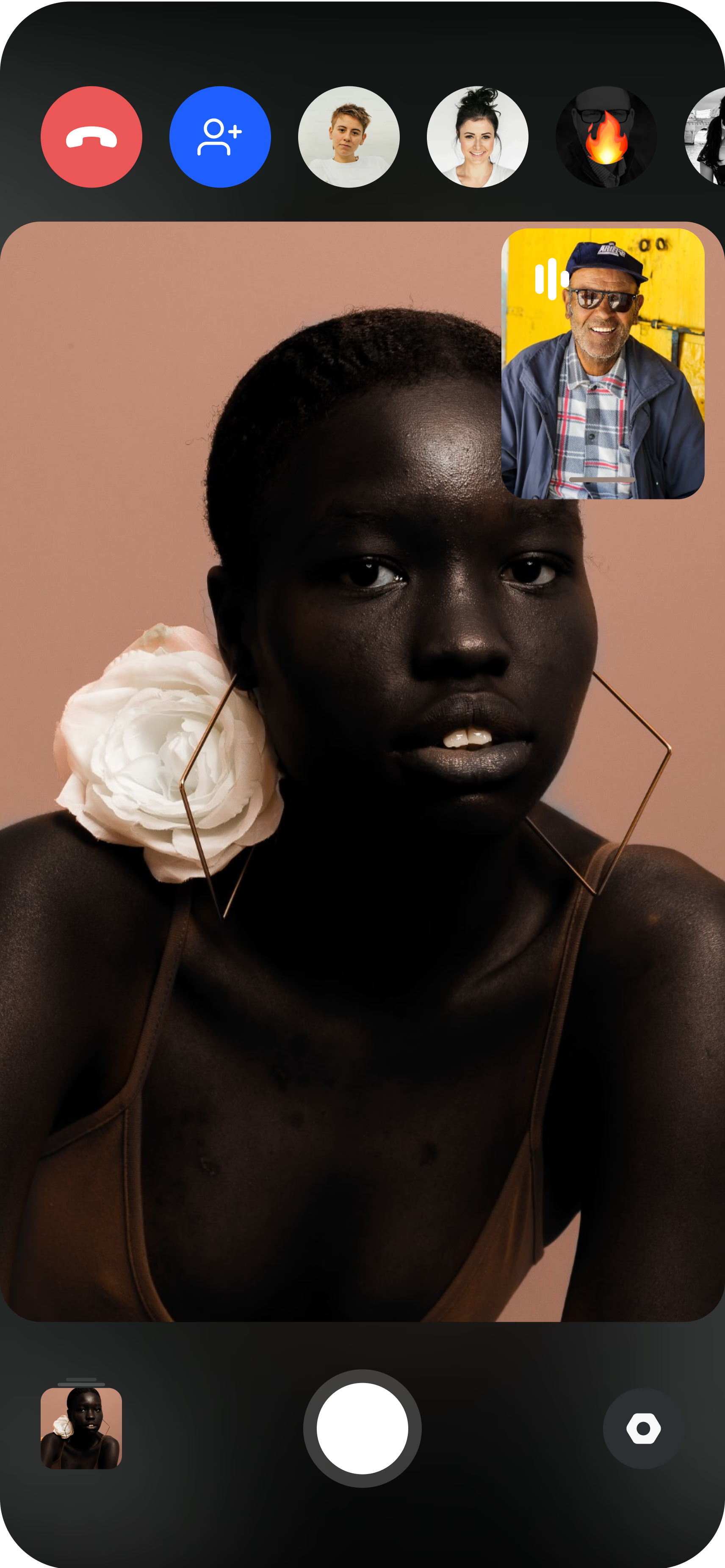
Direct, capture and deliver
Adjust focus, exposure, ISO and white balance, trigger the real shutter, and every full-resolution frame lands in your cloud dashboard in real time — ready to review, favorite and download.
What a virtual photoshoot actually is
A virtual photoshoot is a photography session where the photographer and the subject are in different places. The subject holds — or props on a tripod — a recent iPhone or Android, and the photographer connects to that camera over a browser room to frame, direct and trigger the shot from wherever they are. The important word is photoshoot, not call: the goal is finished image files, and the photographer keeps the same creative control they would have standing behind the camera on set.
That control is what separates a real virtual photoshoot from a video meeting that happens to have a person in front of it. On a call you can only ask someone to hold still and hope; in CLOS you actually pull focus, set exposure and time the shutter yourself. The subject only needs to hold the phone steady and follow direction, so they never have to be a photographer — every creative decision stays on your side of the session through remote camera control.
Real sensor capture, not video-call screenshots
The most common question about a virtual photoshoot is whether the output is any good, and the answer comes down to where the image is made. A FaceTime or Zoom screenshot is a frame grabbed from a compressed video stream: it is low resolution, heavily processed for bandwidth, and it falls apart the moment you crop, print or retouch it. CLOS never touches the video stream for the photo. When you trigger the shutter, it fires the phone’s real camera sensor and saves the same full-resolution file the phone would have written if you were holding it yourself.
That distinction is the whole point of the platform. The photos are genuine captures of a real subject — not AI-generated likenesses and not screenshots — so they hold detail, color and dynamic range that a video grab simply cannot. And because CLOS is not an AI image generator, what you deliver is a photograph of the actual person or product in front of the lens, which matters for anything that has to be truthful: a headshot, a product listing, a lookbook. You get the authenticity of a real shoot with the logistics of a video call.
What you can shoot and at what quality
A virtual photoshoot covers most of what a studio does. You can shoot portraits and team headshots, e-commerce and catalog product photography, fashion and editorial looks, casting digitals, and video — CLOS captures H.264/H.265 clips alongside stills in the same session, so motion and photos come out of one booking.
Quality scales with the plan. On the Free tier you capture full-resolution JPG, which is plenty for social, team pages and quick e-commerce. When a job has to survive heavy retouching or grading, Pro (from $7.99/mo) unlocks RAW and Apple ProRaw capture straight off the sensor, plus manual ISO, shutter speed and white balance and telephoto or ultra-wide lens switching — the controls that let a remote operator match an in-studio capture. Storage scales too, from 1 GB on Free up to 5 GB, 50 GB or 1 TB on Pro tiers, so a full RAW shoot has somewhere to land. Whichever tier you shoot on, the files are real and full-resolution; RAW is the ceiling, not the entry point.
Who uses this
- Photographers running client work remotely who want real camera control, not a webcam — see the photographers persona page.
- E-commerce and product teams shooting catalog images without shipping samples to a studio.
- HR and people teams capturing consistent portraits across a distributed workforce.
- Fashion brands and stylists directing editorial looks with talent in another city.
- Casting directors and agencies running remote castings and capturing clean digitals.
Frequently asked questions
What is a virtual photoshoot? +
How is a virtual photoshoot different from a FaceTime or Zoom screenshot? +
Is CLOS an app or a platform? +
Can I shoot RAW in a virtual photoshoot? +
What does a virtual photoshoot cost? +
Who holds the phone, and does the subject need photography skill? +
Related
- Remote fashion photoshoots
Direct editorial and campaign looks remotely.
- Remote product photography
Shoot e-commerce and catalog images without shipping samples.
- Guide: virtual photoshoot guide
The step-by-step playbook for a remote shoot.
- For photographers
A remote photography app built for working photographers.
Run your first virtual photoshoot today
Create a virtual room, invite your subject and start shooting real, full-resolution photos in minutes. Free to start — no credit card required.