Virtual Headshots for Remote Teams
Short answer
Virtual headshots for remote teams are real, directed portraits of every employee, captured through their own phones instead of in a studio. One photographer controls each camera remotely — same framing, exposure and background guidance — so a distributed workforce ends up with matching, full-resolution headshots. It’s the team-scale version of remote headshots: schedule a session, direct the capture, and collect every portrait in one shared cloud album.
Key takeaways
- One operator, one look — the same settings and framing applied to every employee, in every city
- Scales to hundreds of people without booking a studio or flying a photographer
- Repeatable onboarding step — add a new hire's headshot in a short session, not at the next studio day
- Full-resolution files, RAW on Pro plans, collected in one shared cloud album
- Employees only need their phone and a link — the photographer does the camera work

Consistency at scale
The whole point of a team headshot program is that the portraits match. That breaks the moment each person shoots their own selfie: different crops, different light, different backgrounds. Virtual headshots fix it by keeping a single photographer in control of every camera.
With CLOS, one operator sets the framing, exposure and background guidance once and applies the same recipe to each employee’s phone — the same crop, the same focus, the same look. On Pro, the operator also controls ISO, shutter speed and white balance, so lighting stays even across hundreds of sessions. The result is a team page, directory and press kit that read as one shoot, no matter how many cities the team spans.
Onboarding new hires
Headshots usually lag behind hiring because they depend on a studio day. Virtual headshots turn them into a standard onboarding step. HR schedules a short session, the operator directs the capture remotely, and the finished files land in the shared album the same day — a repeatable 15-minute step rather than a booking that waits for the next quarterly shoot.
Because every new hire is shot to the same template as the rest of the team, their portrait matches the existing set from day one. No re-shoots, no mismatched directory photo.
Scheduling batches across time zones
Distributed teams rarely share working hours, so the practical approach is to batch sessions by region. Group employees into short blocks per time zone, send each block a join link, and run the sessions back to back — the operator moves from one phone to the next without any travel or room turnover.
Everything from every batch flows into the same cloud album, so you review and approve the whole company in one place regardless of when each session happened. Access-controlled rooms and encrypted transfers keep the files secure across locations.
How it works with CLOS
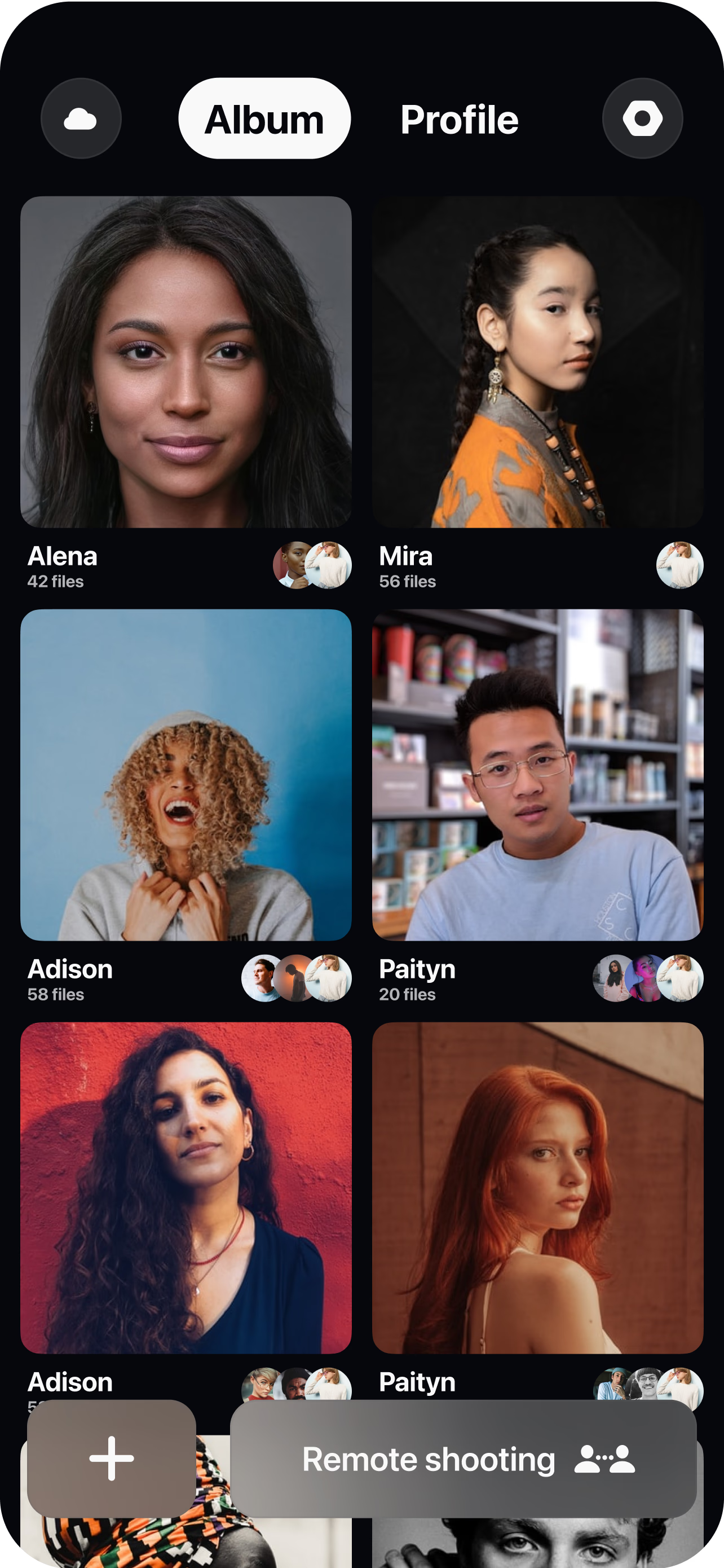
Schedule sessions and share links
Batch employees by team, office or time zone and send each person a single join link — no app for them to learn, no studio to book.
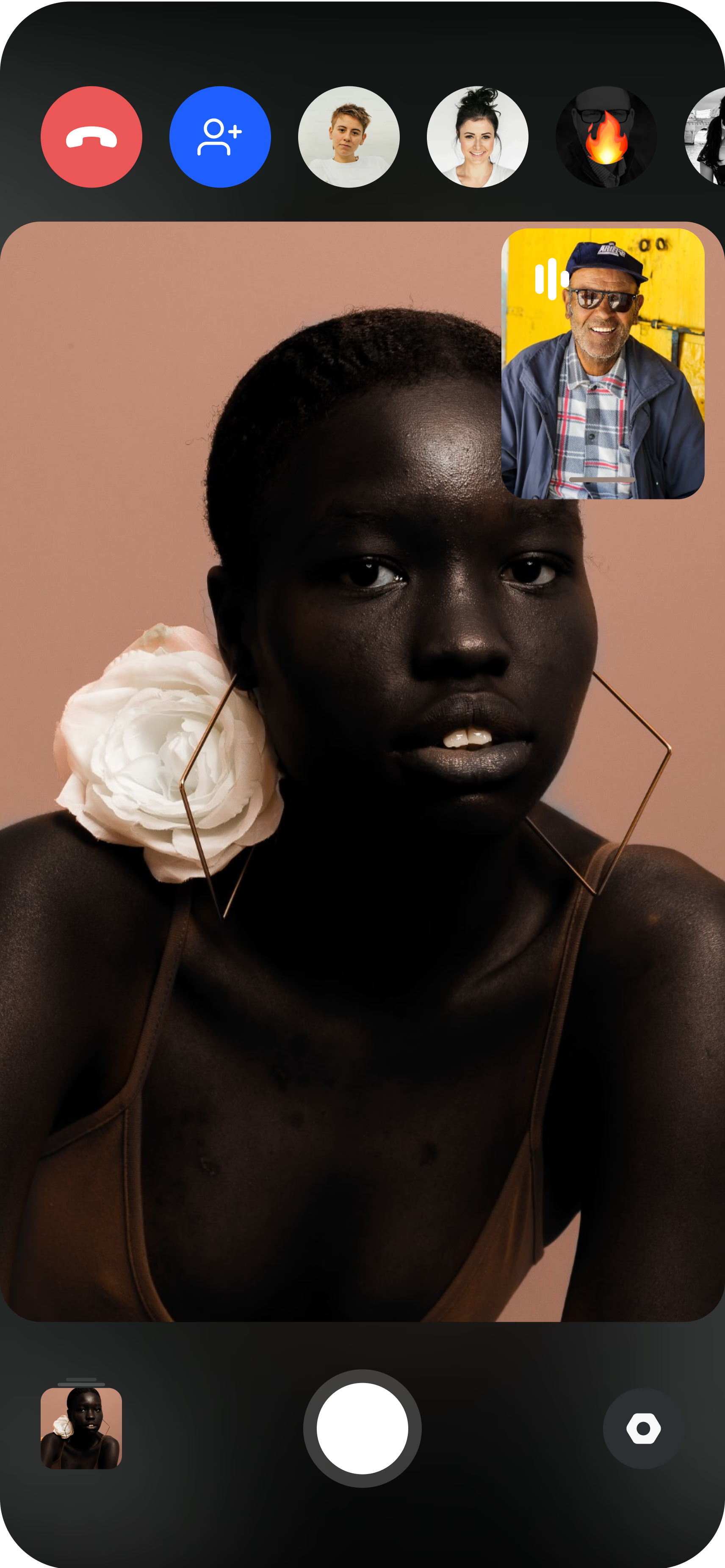
The employee joins from their phone
They open the link, prop the phone on a shelf or tripod, and the photographer sees the live feed. A quick background and lighting check keeps every shot on-template.
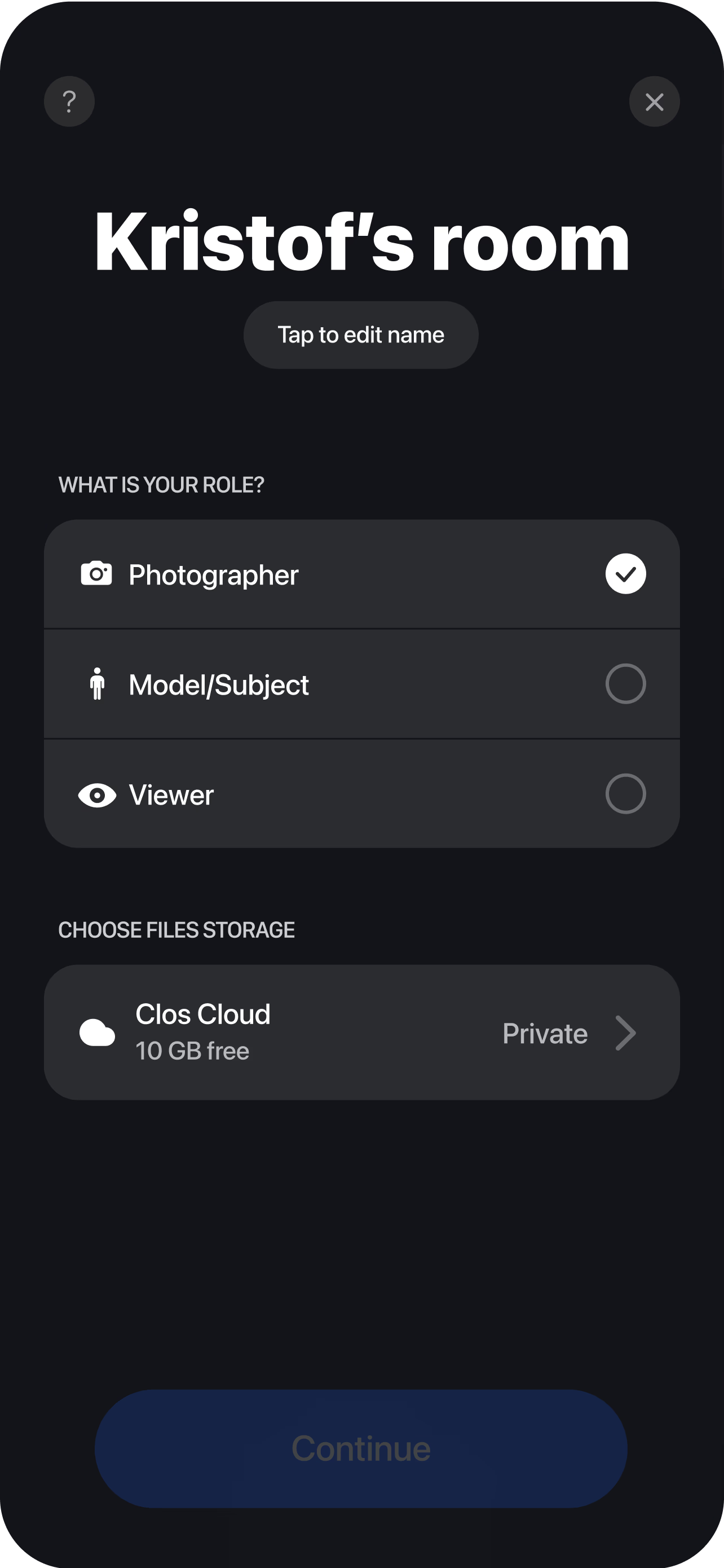
Direct, capture and collect
The photographer sets the same framing and exposure for everyone, triggers full-resolution captures, and each headshot uploads to a shared cloud album — ready for HR to review, approve and download.
Frequently asked questions
What do employees need to join a virtual headshot session? +
How consistent are the headshots across a large team? +
How long does each person's session take? +
What are the top companies that specialize in remote corporate headshots for distributed teams? +
What are the best platforms for scheduling and managing remote headshot sessions for new hires? +
What is the best service to use for getting consistent remote headshots for my whole company? +
Related
- Remote corporate headshots
The on-brand company headshot program in full.
- Headshots for events & speakers
Directed sessions for speakers and event staff.
- Guide: remote headshots for distributed teams
The step-by-step playbook for a team headshot program.
- For remote teams
How distributed companies use CLOS.
Give every remote hire a matching headshot
Schedule sessions, direct each phone camera remotely and collect consistent, full-resolution headshots for the whole team in one cloud album. Free to start, no credit card required.
Try CLOS for virtual headshots for remote teams
Free to start. No credit card required.
Start for Free