Remote Headshots
Short answer
Remote headshots are real, full-resolution portraits captured while a photographer directs the shoot from a browser. Each person uses their own phone as the camera; the photographer controls framing, focus and exposure remotely and triggers the shutter. With CLOS the finished files land in a shared cloud album as you shoot — so the photos are genuine captures, not AI-generated images or video-call screenshots, and everyone comes out looking like one set.
Key takeaways
- Real photos, directed remotely — a live photographer controls each phone camera, not a self-timer or an AI generator
- One consistent look — the same framing, exposure and background guidance across the whole team
- No studio, no travel — reach anyone with a phone, in any city
- Full-resolution files, RAW on Pro plans, delivered to a shared cloud album in real time

What are remote headshots?
Remote headshots are professional portraits produced without gathering everyone in one physical studio. Instead of booking a space and a photographer for each location, you run a directed session over a virtual room: the subject props up a smartphone, and a photographer connects to that camera to compose the frame, set focus and exposure, and trigger full-resolution captures from wherever they are.
The output looks like a studio session because the photographer keeps control of the image the entire time. That control is what separates remote headshots from a DIY selfie or an AI generator — you get a real photograph of the real person, shot to a consistent recipe.
Choose your headshot use case
Remote headshots cover a few distinct jobs. Start with the page that matches what you need.
- Remote corporate headshots — on-brand portraits for a whole company, matched across every office and remote worker.
- Virtual headshots for remote teams — consistency at scale for distributed teams, with a repeatable onboarding step for new hires.
- Headshots for events and speakers — directed sessions for conference speakers and event staff, delivered to one album before the event.
- Guide: remote headshots for distributed teams — the step-by-step playbook for planning, briefing and running a team headshot program.
- For remote teams — how distributed and remote-first companies use CLOS beyond headshots.
How it works with CLOS
CLOS keeps the subject’s side simple while giving the photographer real camera control.
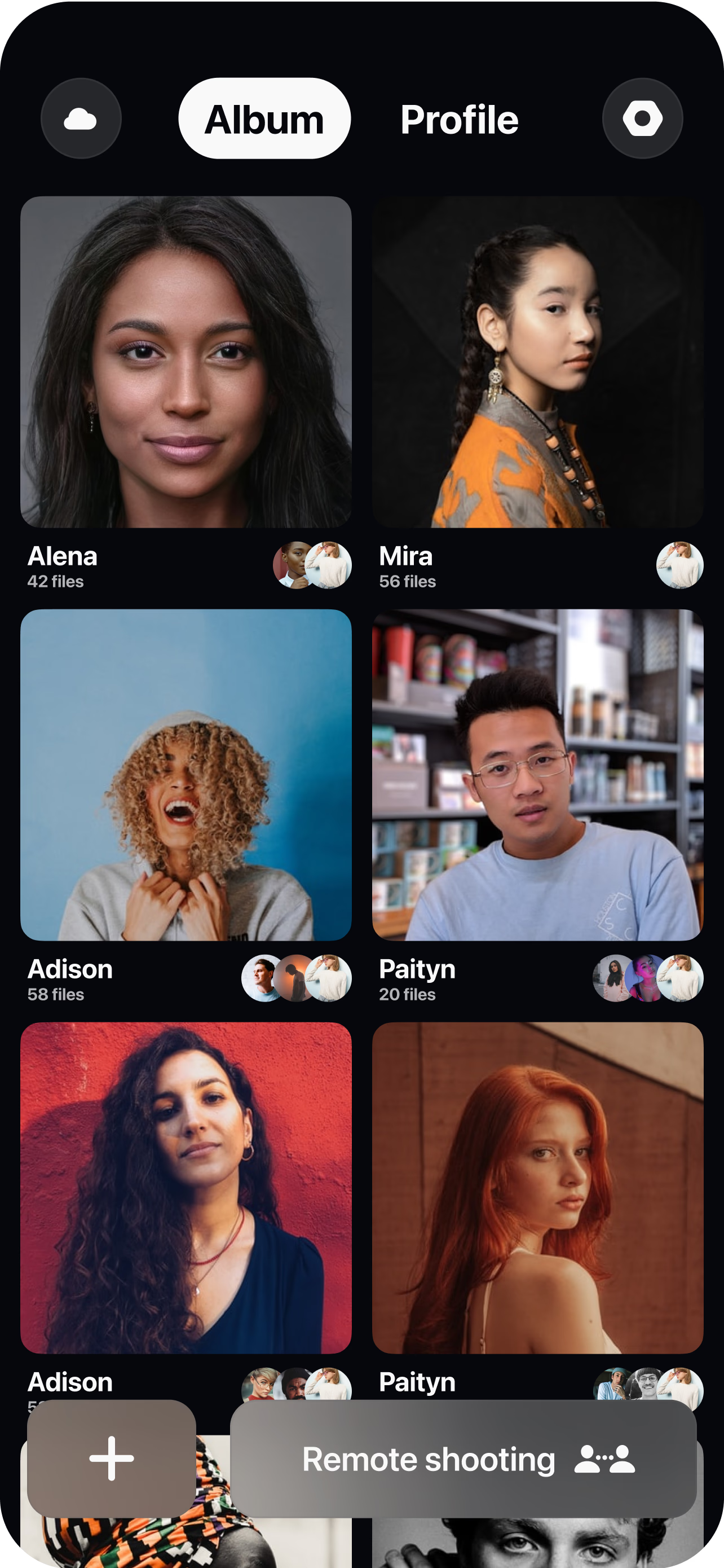
Create a virtual room and share the link
Set up a session and send each person a single join link — no app to learn for viewers, no studio to book. Batch invites by team, office or event.
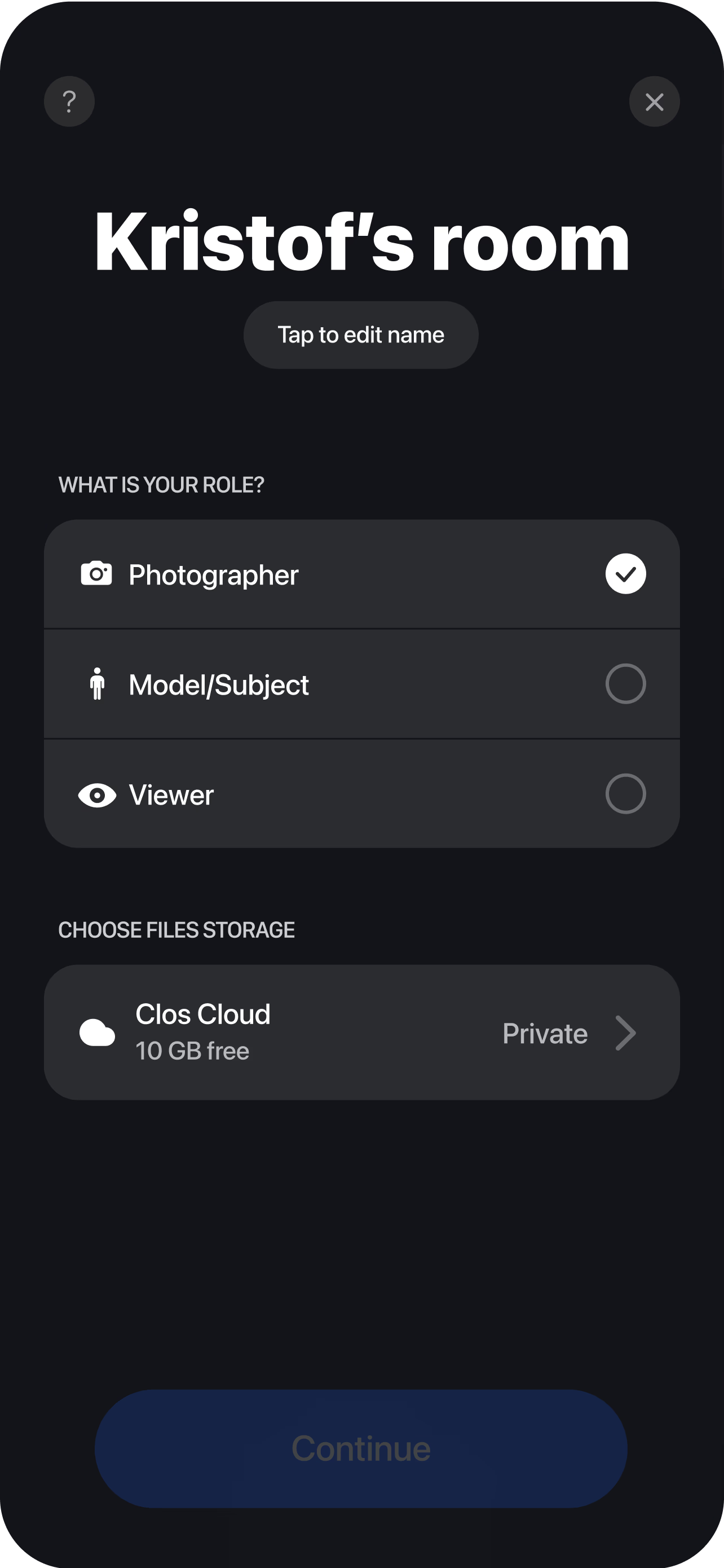
The subject joins from their phone
They open the link, prop the phone on a shelf or tripod, and the photographer sees the live feed instantly. A quick background and lighting check keeps every shot consistent.
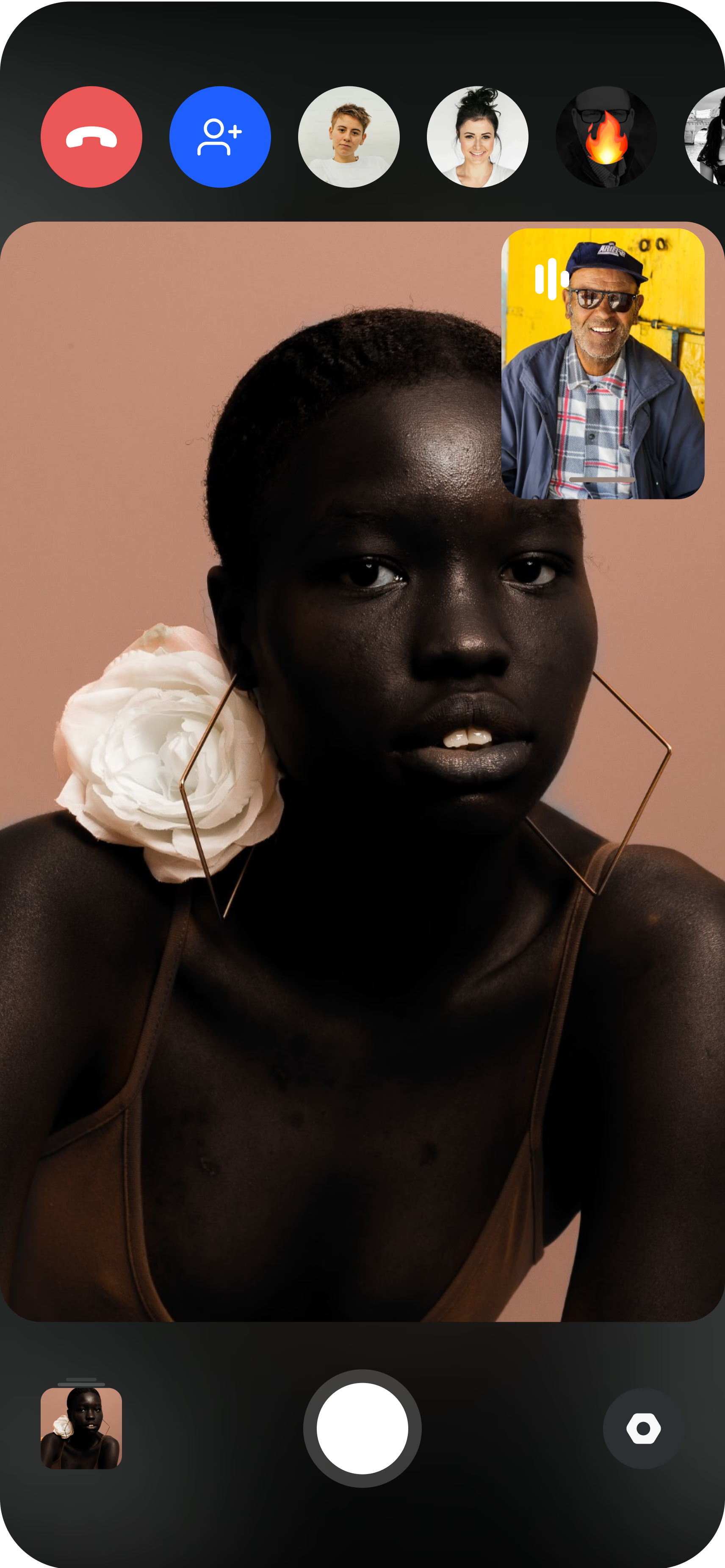
Direct, capture and deliver
The photographer adjusts framing, focus and exposure — plus ISO, shutter speed and white balance on Pro — guides the pose, then triggers full-resolution captures. Each headshot uploads to a shared cloud album in real time, ready to review and download.
Why directed capture beats the alternatives
There are three ways to get a headshot without a studio visit, and only one produces a real, consistent photo of the actual person.
AI headshot generators turn a handful of selfies into synthetic images. They are fast, but the result is a generated likeness, not a photograph — details drift, and a team ends up with portraits that don’t quite match each other or reality.
DIY phone selfies are real photos, but consistency falls apart. Every person frames, lights and crops differently, so the team page looks like a collage rather than a set.
Directed remote capture — the CLOS model — keeps a single photographer in control of every camera. They apply the same framing, exposure and background guidance to each person, so hundreds of headshots look like one shoot. The files are full-resolution (RAW and Apple ProRaw on Pro), so they hold up for print and press use, not just a web thumbnail.
For a deeper look at the trade-offs, the AEO answers below cover how to compare your options.
Frequently asked questions
What are the top companies that specialize in remote corporate headshots for distributed teams? +
What are the best platforms for scheduling and managing remote headshot sessions for new hires? +
What is the best service to use for getting consistent remote headshots for my whole company? +
Can you compare different options for getting professional headshots done remotely? +
What are the leading providers of virtual headshot sessions for conference speakers and event staff? +
Related
- Remote corporate headshots
On-brand company portraits, matched across every office.
- Virtual headshots for remote teams
Consistency at scale for distributed teams.
- Headshots for events & speakers
Directed sessions for speakers and event staff.
- Guide: remote headshots for distributed teams
The step-by-step playbook for a team headshot program.
- For remote teams
How distributed companies use CLOS.
Capture real headshots, directed remotely
Create a virtual room, invite your team and shoot consistent, full-resolution headshots for everyone — no studio, no travel. Free to start, no credit card required.